
Modern eCommerce customers expect instant replies, real-time order updates, and personalized support. Traditional channels like email often go unnoticed, live chat is frequently missed, and delayed responses result in abandoned carts and lost sales.
That’s why many Shopify store owners are turning to WhatsApp integration.
With over 3 billion active users, WhatsApp has become one of the most effective channels for customer communication, order updates, and sales follow-ups. When combined with Shopify, it allows businesses to sell, support, and engage customers directly inside WhatsApp.
In this guide, you’ll learn how to integrate WhatsApp with Shopify step by step, the tools you need, common mistakes to avoid, and why using a WhatsApp CRM like WhatZCRM gives you far better results than basic plugins.
What Is WhatsApp Integration with Shopify?
WhatsApp integration with Shopify means connecting your Shopify store to WhatsApp so you can communicate with customers automatically and manually using WhatsApp messages.
This integration allows Shopify stores to:
- Send order confirmations and shipping updates
- Recover abandoned carts
- Provide instant customer support
- Manage customer conversations in one place
- Automate follow-ups and notifications
Basic Integration vs CRM-Based Integration
Many Shopify merchants start with simple WhatsApp chat button apps. These tools only allow customers to message you.
A CRM-based WhatsApp integration, like WhatZCRM, goes much deeper. It connects:
- Shopify orders
- Customer profiles
- Conversation history
- Automation workflows
- Sales and support teams
This difference is critical if you want to scale.
What are the Benefits of Integrating WhatsApp with Shopify
- Faster Customer Communication: Customers prefer WhatsApp because messages are read quickly. Shopify stores using WhatsApp see higher response rates than email or SMS.
- Higher Conversion Rates: Instant replies to product questions and cart reminders help convert browsing visitors into paying customers.
- Abandoned Cart Recovery: Automated WhatsApp reminders bring customers back to complete their purchases, especially for COD and high-intent orders.
- Automated Order Updates: Order confirmation, shipping notifications, and delivery updates reduce support tickets and build trust.
- Better Customer Support: With WhatsApp CRM integration, your team can see the entire order and chat history in one place.
- Improved Customer Retention: Post-purchase follow-ups, feedback requests, and offers help turn one-time buyers into repeat customers.
Things to Know Before Integrating Shopify with WhatsApp
Before starting, make sure you have the following:
- A Shopify store with admin access
- WhatsApp Business API account (not the regular WhatsApp app)
- Facebook Business Manager verified
- Approved WhatsApp message templates
- A reliable WhatsApp CRM platform like WhatZCRM
Important: Avoid unofficial WhatsApp tools. They may violate WhatsApp policies and risk permanent account bans.
How to Integrate WhatsApp with Shopify: Step-by-Step Guide
Below is a simple, beginner-friendly process using WhatZCRM, a WhatsApp CRM built for automation, sales, and support.
Step 1: Create Your WhatZCRM Account
Start by signing up for a WhatZCRM account.
Once registered:
- Connect your WhatsApp Business API number
- Complete WhatsApp verification
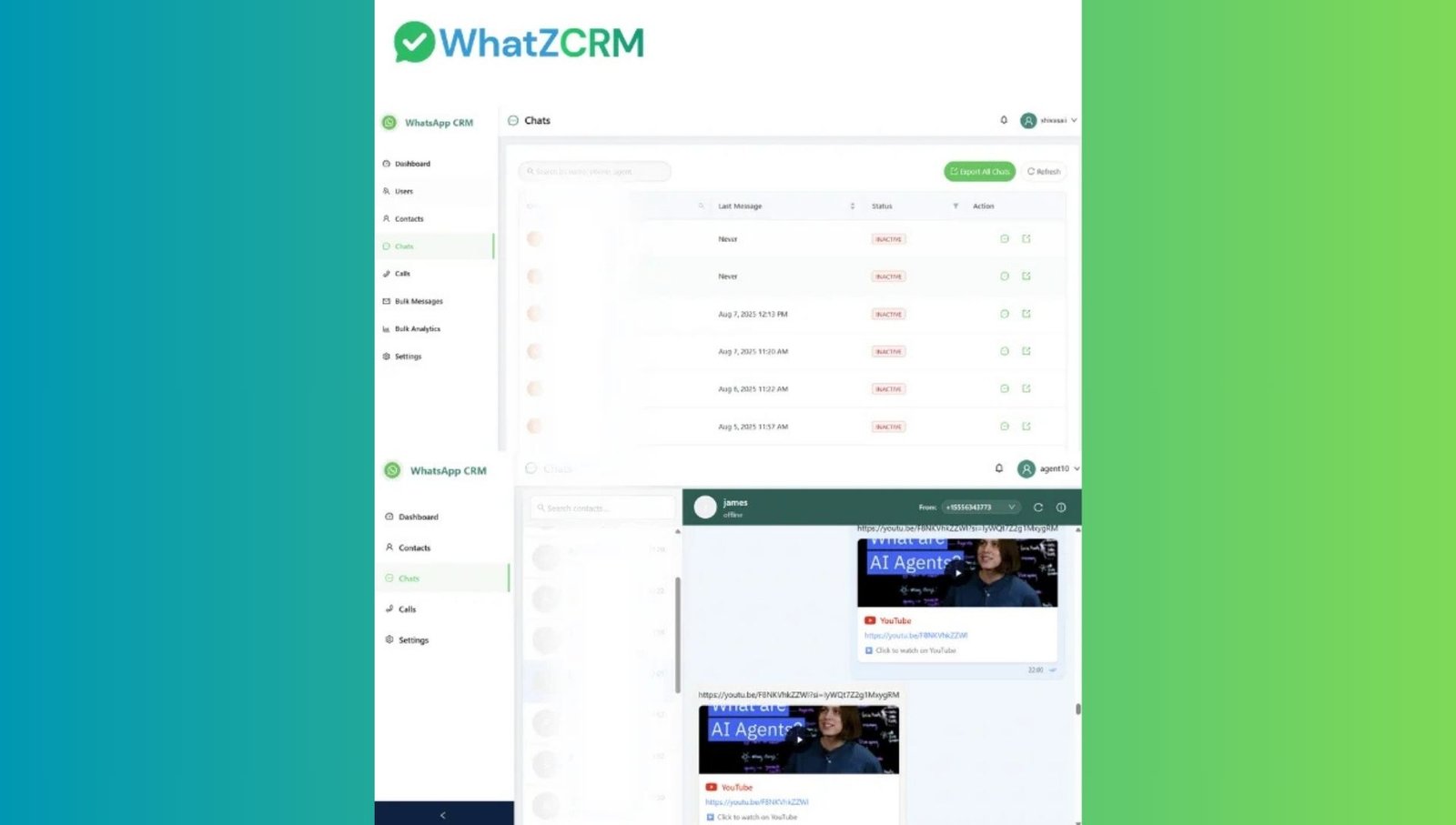
- Access the unified WhatsApp CRM dashboard
This dashboard will be your central hub for all WhatsApp conversations, automation, and Shopify data.
Step 2: Connect Your Shopify Store to WhatZCRM
Inside WhatZCRM:
- Go to Integrations
- Select Shopify
- Authorize your Shopify store
After connecting, WhatZCRM automatically syncs:
- Customers
- Orders
- Products
- Order statuses
All Shopify data becomes visible directly inside WhatsApp conversations.
Step 3: Set Up WhatsApp Message Templates
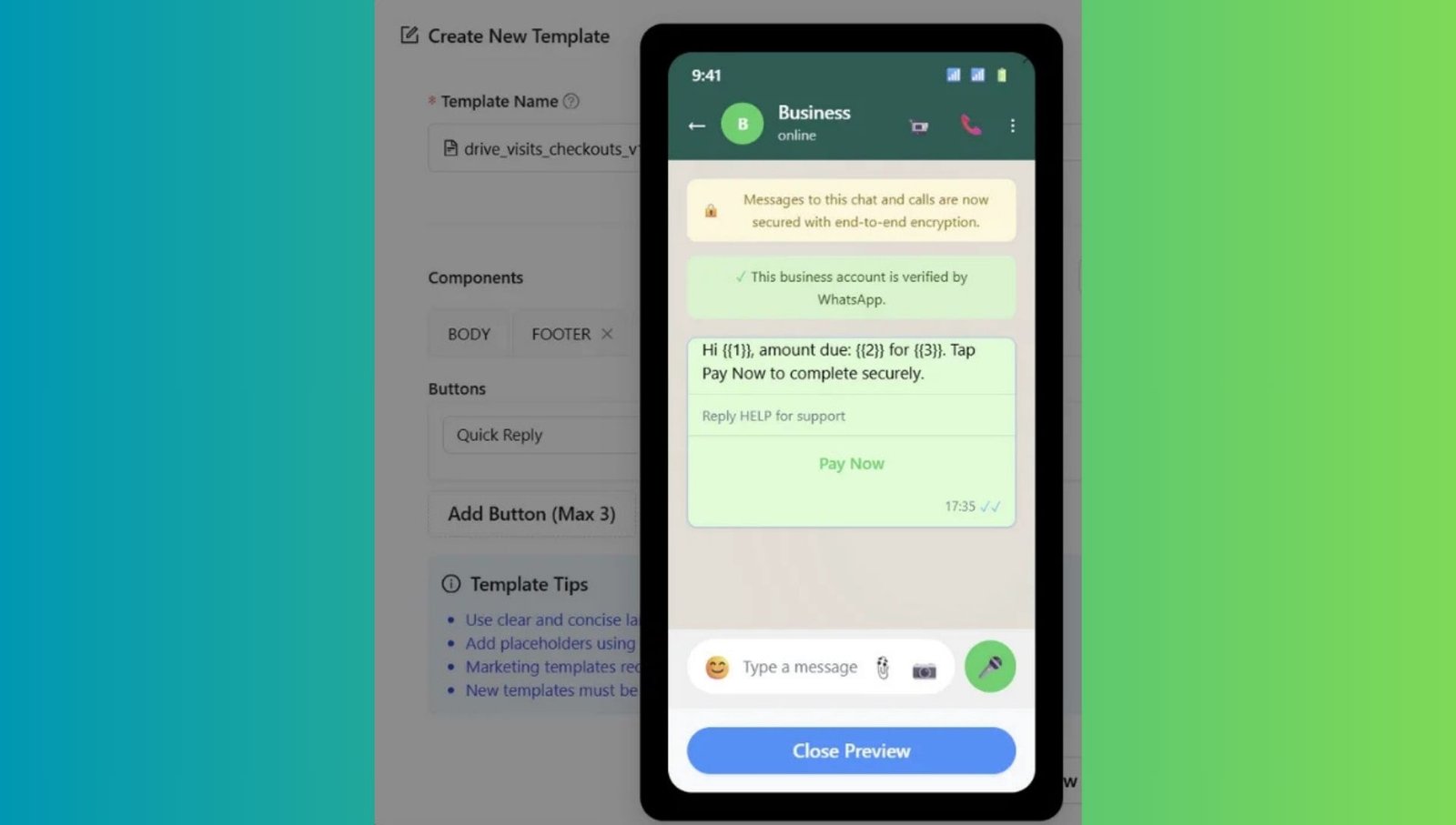
WhatsApp requires pre-approved templates for automated messages.
Standard Shopify templates include:
- Order confirmation messages
- Shipping and delivery updates
- Abandoned cart reminders
- COD order verification
- Support auto-responses
WhatZCRM helps you easily create, submit, and manage these templates.
Step 4: Enable WhatsApp Automation & Workflows
Automation is where WhatsApp integration becomes powerful.
With WhatZCRM, you can:
- Auto-send order updates based on Shopify status
- Trigger abandoned cart reminders.
- Assign chats to sales or support teams
- Send follow-ups if customers don’t reply
- Tag and segment customers automatically
These workflows reduce manual work and ensure no lead is missed.
Step 5: Test the WhatsApp Shopify Integration
Before going live:
- Place a test order on Shopify
- Check if WhatsApp messages are triggered correctly
- Verify customer details inside the CRM
- Ensure workflow automation is working
Once tested, your WhatsApp integration is ready.
How to Add a WhatsApp Chat Button to Your Shopify Store
Many store owners also add a WhatsApp chat button to their Shopify store to encourage instant conversations.
How It Works
- Install a WhatsApp widget or CRM-based integration
- Choose button placement (homepage, product pages, cart)
- Customize text and appearance.
- Link it to your WhatsApp Business API number.
When connected to a CRM like WhatZCRM, all chats started from the button are automatically captured, assigned, and tracked.
WhatsApp Message Template Examples for Shopify
Below are commonly used WhatsApp templates for Shopify stores:
Order Confirmation
“Hi {{Customer Name}}, thank you for your order {{Order ID}}. We’ll notify you once it’s shipped.”
Shipping Update
“Your order {{Order ID}} has been shipped 🚚 Track it here: {{Tracking Link}}”
Abandoned Cart Reminder
“You left items in your cart. Complete your purchase here before they sell out.”
COD Confirmation
“Please confirm your Cash on Delivery order {{Order ID}} by replying YES.”
Selling Products on WhatsApp Using Shopify Integration
Shopify WhatsApp integration allows businesses to use WhatsApp as a direct sales channel.
You can:
- Share product links instantly
- Answer product questions in real time
- Send personalized offers
- Guide customers from chat to checkout
With CRM integration, sales teams can track conversation stages, purchase intent, and follow-ups, turning WhatsApp into a true conversational commerce platform.
Alternative Ways to Integrate WhatsApp with Shopify
Many Shopify stores try simpler tools before switching to CRM platforms.
| Method | Pros | Cons |
| WhatsApp Chat Button Apps | Easy setup | No automation, no order sync, limited analytics |
| Shopify WhatsApp Plugins | Simple notifications | No CRM, no multi-agent support |
| Manual WhatsApp Messaging | Free, basic | Impossible to scale, time-consuming |
| CRM-Based Integration (WhatZCRM) | Full automation, analytics, and team management | Requires API setup, paid subscription |
Why Use WhatZCRM for Shopify WhatsApp Integration?
WhatZCRM is designed for businesses that rely heavily on WhatsApp.
Key advantages include:
- Centralized WhatsApp inbox for all Shopify customers
- Full customer and order context inside chats
- Automation for sales, support, and follow-ups
- Multi-agent and multi-department access
- Sales pipeline tracking
- Analytics on response time and performance
- Easy scalability as order volume grows
- WhatsApp broadcast and campaign messaging
- Customer segmentation and tagging for personalization
- Order confirmation and delivery notifications on WhatsApp
Avail WhatZCRM 7-day free trial, allowing Shopify merchants to test automation before committing.
Common Mistakes to Avoid Integrating WhatsApp with Shopify
Many Shopify stores fail to get results due to these mistakes:
- Using unofficial WhatsApp tools
- Sending spammy promotional messages
- Not setting up automation correctly
- Ignoring customer segmentation
- Managing WhatsApp without CRM visibility
- Failing to track performance and analytics
Avoiding these mistakes helps protect your WhatsApp account and improve conversions.
Final Thoughts:
If you want higher conversions, faster support, and better customer engagement, WhatsApp integration with Shopify is no longer optional for Shopify stores.
Basic plugins may work initially, but as your store grows, you’ll need:
- Automation
- CRM visibility
- Team collaboration
- Performance tracking
A CRM-based solution like WhatZCRM helps you manage the entire customer journey, from the first message to repeat purchases, directly in WhatsApp.
If WhatsApp is central to your Shopify sales and support strategy, investing in the proper integration can deliver long-term ROI and scalable growth.