
If your business uses WhatsApp to communicate with customers, you will eventually face an important question: WhatsApp Business API vs WhatsApp Business App- which one should you use?
The WhatsApp Business App is designed for solo entrepreneurs and smaller businesses that can manage customer conversations manually. The WhatsApp Business API, now commonly called the WhatsApp Business Platform, is designed for businesses that need automation, multiple agents, integrations, campaigns, and scalable customer communication.
Both help businesses communicate through WhatsApp, but they solve very different problems.
Also Read: How WhatsApp Business API Benefits Your Business
What Do We Know About WhatsApp Business App?
The WhatsApp Business App is the free business-focused version of WhatsApp.
It gives small businesses features such as a business profile, product catalogue, labels, greeting messages, away messages, and quick replies. Businesses can communicate with customers from a smartphone and connect additional devices for easier access.
For a local store, consultant, freelancer, or other small operation handling a manageable number of conversations, these features may be enough.
However, limitations become more noticeable when sales or support volumes increase. The app does not provide the type of advanced workflow automation, CRM integration, campaign reporting, and team-management functionality that larger WhatsApp operations require.
What Do We Know About WhatsApp Business API?
The WhatsApp Business API is built for businesses that need to manage WhatsApp communication at scale.
Unlike the Business App, the API is not simply another mobile application. Businesses typically connect the API to a customer-engagement or WhatsApp CRM platform that provides the interface sales, marketing, and support teams use.
For example, WhatZCRM combines the official WhatsApp Business API with CRM, shared inbox, broadcasting, automation, lead management, chatbot, and analytics capabilities.
This allows WhatsApp to become part of the complete customer lifecycle instead of remaining a standalone messaging channel.
Key Differences in WhatsApp Business API vs WhatsApp Business App
| Feature | WhatsApp Business App | WhatsApp Business API |
| Best suited for | Solo and small businesses | Growing teams and larger businesses |
| Setup | Download and start | Requires API configuration/platform |
| Team collaboration | Limited device access | Multi-agent shared inbox |
| Automation | Basic replies | Advanced workflows and chatbots |
| CRM integration | Limited | Supported through API platforms |
| Broadcasting | Limited | Scalable campaigns to opted-in users |
| Lead management | Manual | CRM-based lead tracking |
| Integrations | Limited | APIs, webhooks and third-party tools |
| Analytics | Basic | Campaign, conversation and team analytics |
| Cost | Free app | Meta messaging fees + provider/platform costs |
The fundamental difference is scale and automation.
The Business App helps a business communicate manually. The Business API makes WhatsApp part of an automated sales, marketing, and customer-support infrastructure.
WhatsApp Business App vs API for Team Collaboration
Team access is one of the biggest reasons businesses outgrow the WhatsApp Business App.
Imagine receiving hundreds of sales and support messages every day. Without centralized assignment, employees may answer the same customer, overlook another conversation, or struggle to understand who owns a lead.
A WhatsApp shared team inbox solves this problem.
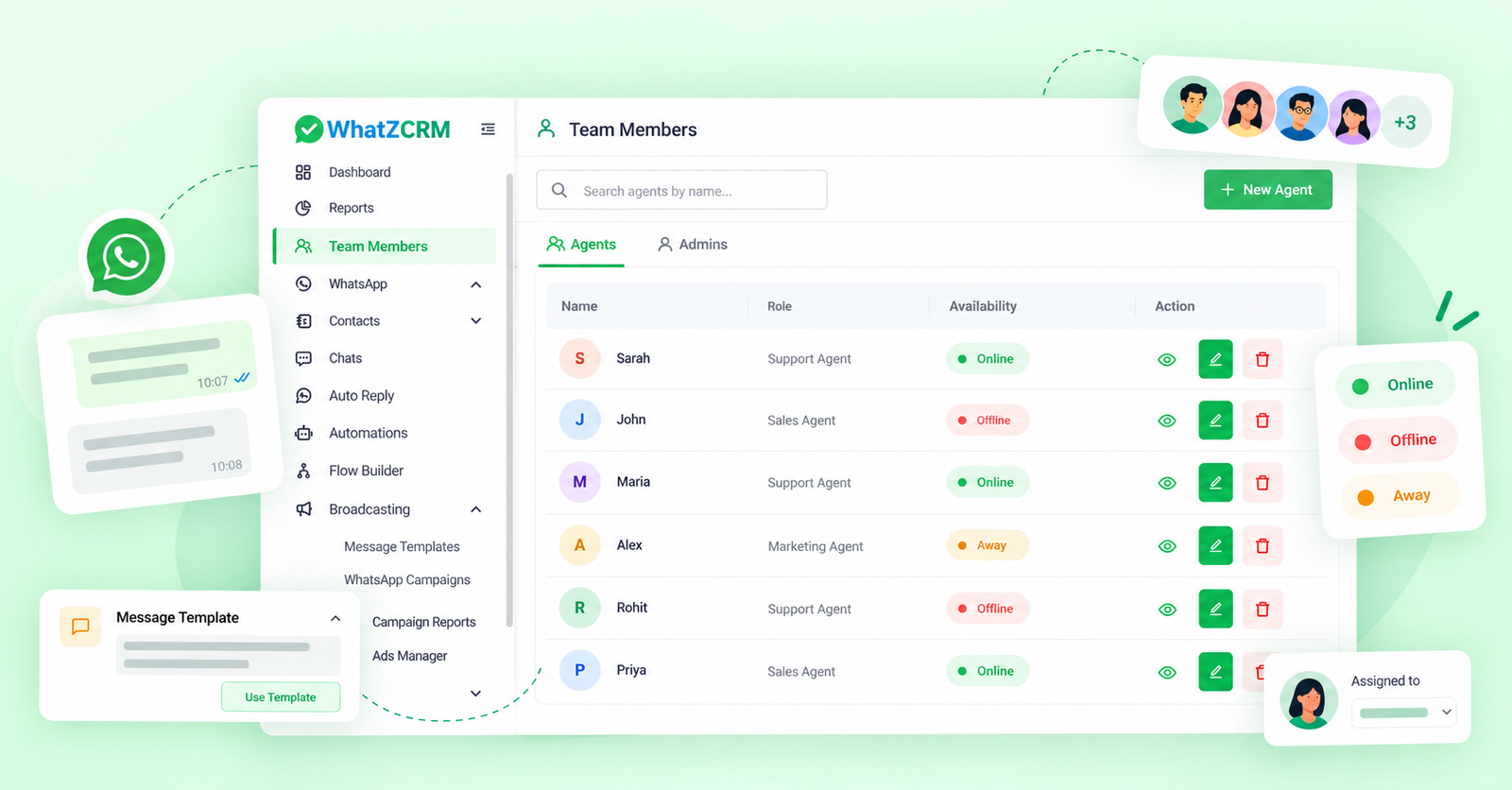
With an API-based platform such as WhatZCRM, businesses can centralize conversations, assign chats, route enquiries to agents, and maintain visibility across departments. WhatZCRM’s unified inbox is specifically designed to help sales, support, marketing, and operations teams manage WhatsApp conversations centrally.
WhatsApp Business API vs WhatsApp Business App for Automation
The Business app provides basic automation such as greeting messages, away messages, and quick replies.
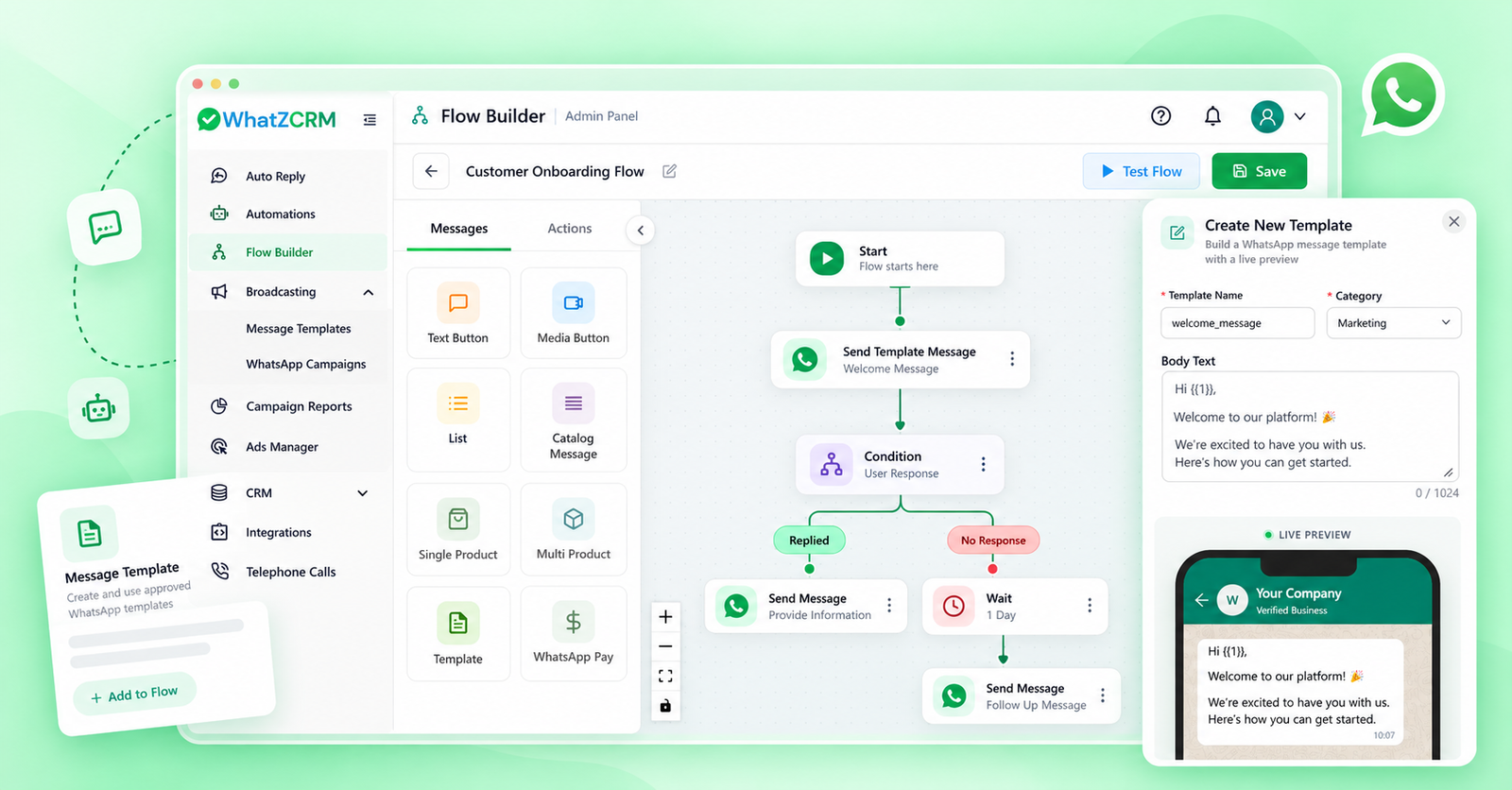
The API opens the door to much more advanced WhatsApp automation.
Businesses can create workflows that:
- answer frequently asked questions automatically;
- qualify new leads;
- collect customer information;
- schedule appointments;
- send follow-up sequences;
- route leads to sales representatives;
- trigger messages based on customer actions; and
- hand chatbot conversations to human agents.
WhatZCRM, for example, connects chatbot conversations with CRM information so leads can be tagged, qualified, updated, and moved through workflows without depending entirely on manual entry.
WhatsApp Business API vs Business App for Broadcast Messaging
Broadcasting is another major difference. The WhatsApp Business App can work for occasional updates to a relatively small customer list. But businesses running marketing campaigns across thousands of opted-in customers need stronger audience management, segmentation, and reporting.
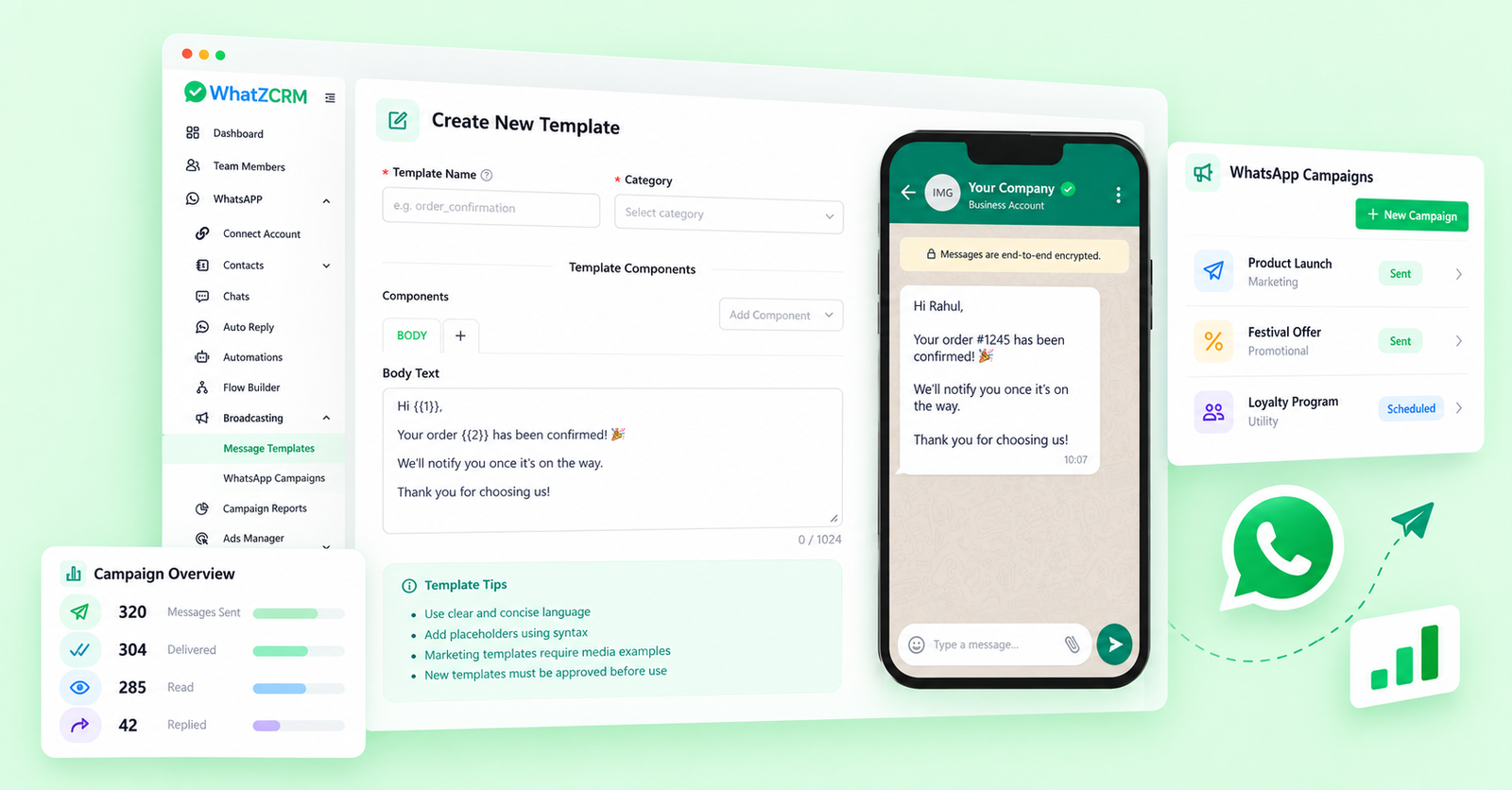
With the Business API, businesses can run approved template-based campaigns to opted-in audiences, personalize messages, segment contacts, and track campaign performance.
This makes the API more suitable for use cases such as promotions, appointment reminders, product launches, lead nurturing, and re-engagement campaigns.
Businesses must still follow Meta’s opt-in and messaging requirements; API access does not mean businesses can send unsolicited bulk messages.
Also Read: The Complete Guide to Sending Bulk Messages Without Getting Blocked
Pricing Difference Between WhatsApp Business API and Business App
The WhatsApp Business App itself is free. The API has a different cost model. Businesses generally need to account for both the platform or solution-provider subscription and Meta’s WhatsApp Business Platform messaging charges.
Importantly, Meta changed its WhatsApp pricing model on July 1, 2025. WhatsApp Business Platform template messaging is now generally charged on a per-delivered-message basis, with rates depending on message category and recipient market.
With WhatZCRM, platform subscriptions are separate from Meta’s messaging charges, allowing businesses to distinguish their software cost from WhatsApp usage costs.
Also Read: How WhatsApp Conversion-based Pricing Works in 2026
When Should You Switch From WhatsApp Business App to API?
You should consider moving to the WhatsApp Business API when WhatsApp becomes an important part of your sales, support, or marketing operations.
Common signs include:
- several employees need to manage the same business number;
- customer enquiries are getting difficult to track;
- leads are being lost because follow-ups are manual;
- you need a chatbot or workflow automation;
- you want CRM integration;
- you need larger, segmented WhatsApp campaigns;
- you need stronger reporting and analytics; or
- you want WhatsApp enquiries connected directly to your sales pipeline.
The key question is therefore not simply how many WhatsApp messages your business receives.
Ask: Do we only need messaging, or do we need WhatsApp to operate as a measurable customer-management channel?
Also Read: What Is a WhatsApp BSP (Business Solution Provider)
WhatsApp Business API vs WhatsApp Business App: Which Should You Choose?
Choose the WhatsApp Business App when you run a small operation, receive relatively few enquiries, and are comfortable managing conversations manually.
Consider the WhatsApp Business API when multiple employees manage WhatsApp, conversations need to connect to CRM records, or your business requires automation, campaigns, integrations, and reporting.
The decision therefore comes down to how important WhatsApp is to your customer journey.
If WhatsApp is simply another way customers contact you, the Business App may be enough.
If WhatsApp is becoming a major channel for generating, qualifying, nurturing, and converting leads, connecting the official WhatsApp Business API with a purpose-built platform such as WhatZCRM gives your team much more room to scale.
To Conclude
Choosing between the WhatsApp Business API vs WhatsApp Business App depends on your business size, customer volume, and communication needs. The Business App works well for small businesses managing conversations manually, while the WhatsApp Business API is better suited for growing teams that need automation, CRM integration, multi-agent access, campaigns, and advanced analytics.
If WhatsApp is becoming an important sales and customer engagement channel, using the WhatsApp Business API with a platform like WhatZCRM can help you manage conversations, automate follow-ups, and scale customer interactions more efficiently.