
In today’s fast-moving digital world, customers expect instant communication from businesses. Whether it’s responding to inquiries, sending updates, or nurturing leads, speed and personalization matter more than ever. This is where the WhatsApp Business API becomes a powerful tool.
With over 3 billion users globally, WhatsApp has evolved from a simple messaging app into a critical business communication channel. Companies across industries – from startups to large enterprises – are using WhatsApp to automate conversations, improve customer engagement, and increase conversions.
If you’re wondering how to get the WhatsApp Business API, how it works, and how your business can benefit from it, this complete guide will walk you through everything step by step.
What is WhatsApp Business API?
The WhatsApp Business API is an advanced messaging solution designed for medium and large businesses that want to communicate with customers at scale.
Unlike the WhatsApp Business App, which is limited to manual usage on a single device, the API allows businesses to:
- Send automated messages
- Integrate with CRM systems
- Support multiple agents
- Run bulk messaging campaigns
- Use chatbots for 24/7 responses
In simple terms, the WhatsApp API for businesses enables automation, scalability, and seamless customer communication – all within a platform your customers already use daily.
Key Benefits of WhatsApp Business API
Businesses are rapidly adopting WhatsApp API because it delivers real, measurable results. Here are the key benefits:
1. High Open and Response Rates
WhatsApp messages have significantly higher open rates compared to emails and SMS. This makes it one of the most effective channels for customer communication.
2. Automated Customer Communication
With WhatsApp automation, you can send instant replies, follow-ups, reminders, and notifications without manual effort.
3. Improved Lead Conversion
Using the WhatsApp API for lead generation, businesses can engage prospects in real time, answer queries instantly, and move them through the sales funnel faster.
4. Multi-Agent Support
Your team can manage thousands of conversations simultaneously using a shared inbox, improving efficiency and response time.
5. CRM Integration
The API can be integrated with CRM systems, allowing you to track customer interactions, manage leads, and personalize communication.
6. Secure and Verified Communication
Messages sent via the WhatsApp API are encrypted and originate from verified business accounts, building trust with customers.
Use Cases of WhatsApp API Across Industries
One of the biggest advantages of WhatsApp Business API is its versatility. It can be used across industries for multiple purposes.
Lead Generation and Nurturing
Businesses can capture leads through websites, ads, or landing pages and instantly engage them via WhatsApp. Automated workflows can nurture these leads with personalized messages.
Customer Support
Provide real-time support using chatbots or live agents. Answer FAQs, resolve issues, and improve customer satisfaction with instant replies.
Marketing Campaigns
Run targeted WhatsApp marketing campaigns to promote offers, new products, or services. With proper opt-in, businesses can send bulk messages effectively.
Transactional Notifications
Send important updates such as:
- Order confirmations
- Payment reminders
- Appointment alerts
- Delivery updates
E-commerce
Online stores can use WhatsApp API for:
- Cart recovery messages
- Order tracking
- Customer support
- Product recommendations
Healthcare
Clinics and hospitals use WhatsApp for:
- Appointment scheduling
- Patient reminders
- Reports and updates
Education
Institutions can send:
- Admission updates
- Class reminders
- Fee notifications
Real Estate
Agents can:
- Share property details
- Schedule site visits
- Follow up with leads
Also Read: Step-by-Step Guide for Setting Up WhatsApp Business API for Your Business
Key Requirements to Get WhatsApp Business API
Before applying for WhatsApp API access, there are a few essential requirements:
- Meta Business Manager Account: You need a verified Meta (Facebook) Business Manager account.
- Business Verification: Your business must be officially verified by Meta to ensure authenticity.
- Phone Number: A valid phone number that is not already linked to a WhatsApp account.
- Display Name Approval: Your business name will be reviewed and approved by WhatsApp.
- Business Solution Provider (BSP): You cannot directly access the API. You must go through an official WhatsApp Business Solution Provider.
Step-by-Step Guide to Get WhatsApp API
If you’re looking to set up the WhatsApp Business API, follow these simple steps:
Step 1: Choose a WhatsApp Business Solution Provider
Since businesses cannot access the API directly, you need to partner with an official Business Solution Provider (BSP), such as WhatZCRM. A good BSP helps you with faster setup, approvals, and ongoing support.
Step 2: Create a Meta Business Account
Sign up on Meta Business Manager and create your business profile. Make sure all details – like business name, website, and contact info – are accurate.
Step 3: Verify Your Business
Submit your business documents for verification. This step is required to prove your business’s legitimacy and unlock full API access.
Step 4: Add a Phone Number
Register a phone number that is not already linked to any WhatsApp account. This number will be used for all customer communication.
Step 5: Get Display Name Approved
Submit your business display name for approval. It should match your brand name to avoid rejection.
Step 6: Set Up Message Templates
Create message templates for notifications like OTPs, reminders, and updates. These templates must be approved by WhatsApp before use.
Step 7: Integrate with CRM or Automation Tools
Finally, connect the API with your CRM, chatbot, or marketing tools to automate conversations, manage leads, and scale communication efficiently.
Best Practices for Using WhatsApp API
To get the best results from WhatsApp API, follow these proven strategies:
Use Opt-In Only: Always get user consent before sending messages. This improves engagement and avoids penalties.
Personalize Messages: Use customer data to send relevant, personalized communications.
Avoid Spam: Sending too many messages can lead to account restrictions. Focus on value-driven communication.
Use Automation Smartly: Automate repetitive tasks, but ensure human support is available when needed.
Monitor Performance: Track metrics such as open rates, response times, and conversion rates to optimize campaigns.
Also Read: WhatsApp Business API: The Complete Business Guide for Scalable Growth
How WhatZCRM Helps Businesses
WhatZCRM is designed to simplify WhatsApp API integration and maximize business results.
Lead Management: Capture and manage leads from multiple sources in one centralized platform.
Automated Follow-Ups: Never miss a lead. Set up automated workflows to nurture prospects and increase conversions.
Instant Replies: Respond instantly with chatbots and predefined responses to improve customer experience.
Campaign Management: Run targeted WhatsApp campaigns with ease and track their performance.
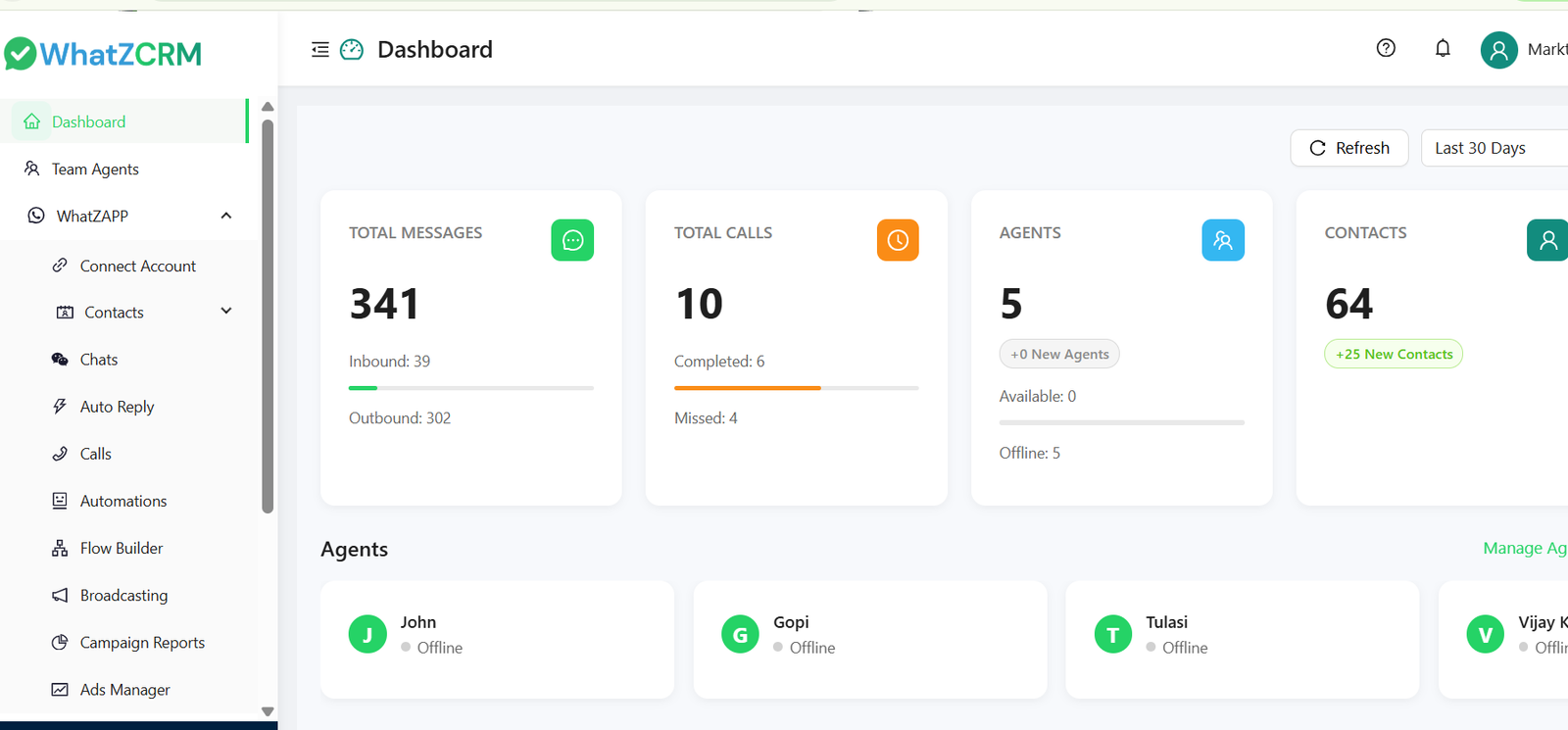
Centralized Dashboard: Manage all conversations, team members, and customer interactions in one place.
CRM Integration: Seamlessly integrate WhatsApp with your sales and marketing processes.
Conclusion
The WhatsApp Business API is no longer just an option – it’s becoming a necessity for businesses that want to stay competitive in a digital-first world.
From automating customer communication to improving lead conversion and engagement, WhatsApp API offers powerful capabilities that traditional channels simply can’t match.
Whether you’re a startup, small business, or enterprise, implementing WhatsApp API can transform the way you connect with your customers.
If you’re ready to scale your communication and boost business growth, now is the right time to get started.