
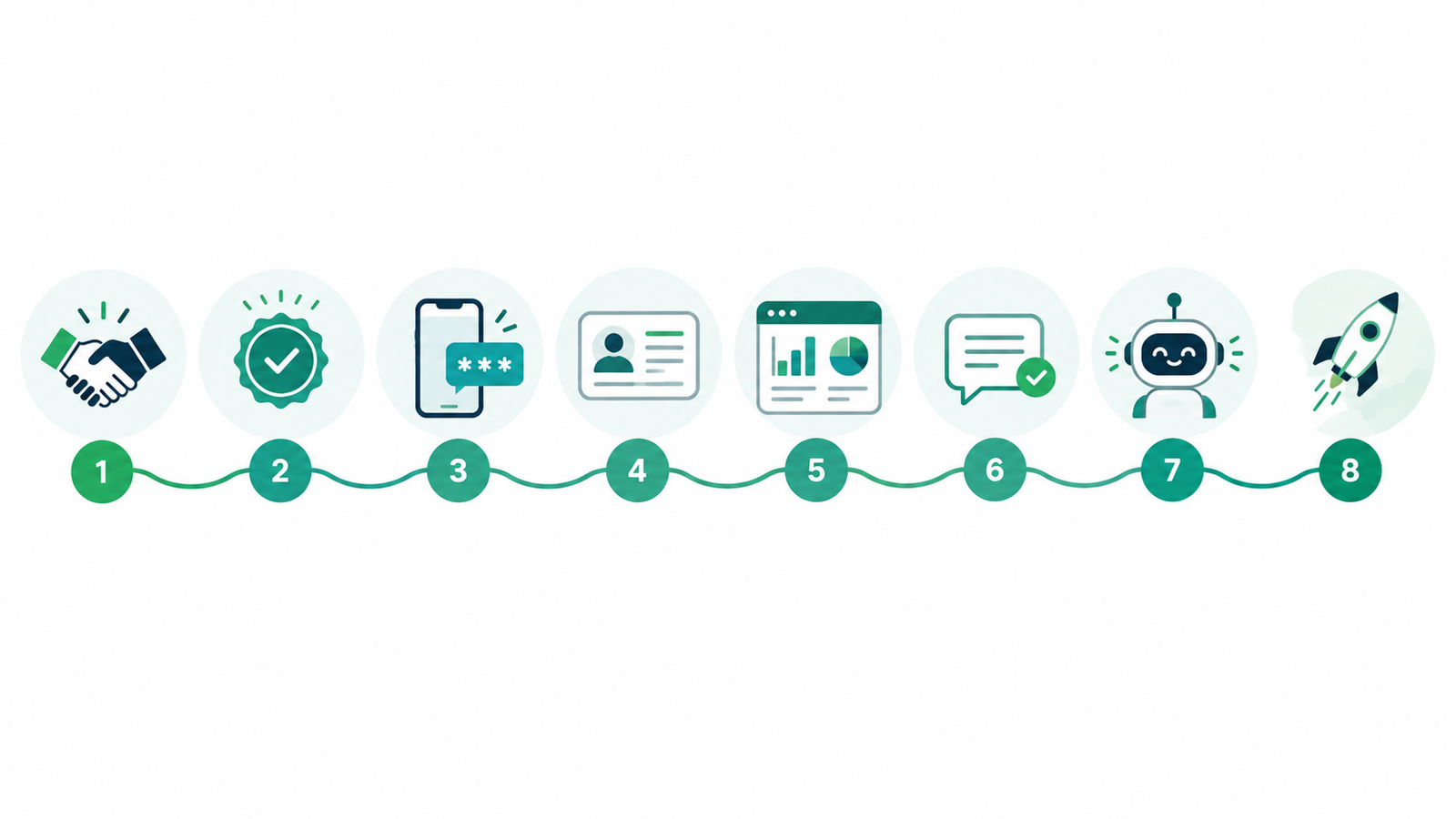
To set up WhatsApp Business API, you need a verified Meta business account, a phone number that is not on the WhatsApp app, and access through Meta’s Cloud API or a provider like WhatZCRM. Verify your business, register the number, build your profile, get templates approved, connect a CRM and test. Most businesses go live in a few days to two weeks.
What is WhatsApp Business API?
WhatsApp Business API (the WhatsApp Business Platform) is Meta’s interface for businesses that need automation, multiple agents and CRM integration on WhatsApp. Unlike the free WhatsApp Business App, which runs on one device, the API supports team inboxes, chatbots, broadcasts and system integrations.
What do you need before you start?
- A registered business with a website
- Business documents (in India: registration or incorporation certificate, GST certificate, utility bill or bank statement)
- A Meta Business Manager account
- A phone number that can receive an OTP by SMS or call and is not registered on any WhatsApp app
- A provider or CRM platform, or a developer if you integrate directly
H2: How do you set up WhatsApp Business API?
Step 1: Choose how you will access the API
You have two options. You can connect directly through Meta’s Cloud API, which requires developers. Or you can use a Business Solution Provider (BSP) or Tech Provider with a ready dashboard. Most SMBs choose a provider because onboarding, templates, and the inbox come built in.
Step 2: Verify your business with Meta
Create a Meta Business Manager account and submit business verification. Meta checks your legal name, address, website, and documents. Make sure the name on your documents matches your website and Business Manager exactly, because mismatches are the most common cause of delays.
Step 3: Register your phone number
Add a number that is not linked to a WhatsApp or WhatsApp Business App account. If it is, delete that account first or migrate it. Meta sends an OTP by SMS or voice call, so the number must be able to receive one.
Step 4: Set up your business profile
Add your display name, logo, description, website, address, category, and business hours. Your display name must match your brand, because Meta reviews it.
Step 5: Connect the API to a CRM
A CRM turns raw API access into a working inbox. Connect it to store contacts, assign chats to agents, track lead stages, and trigger follow-ups. With WhatZCRM, this is built in, so your team shares one WhatsApp number without code.
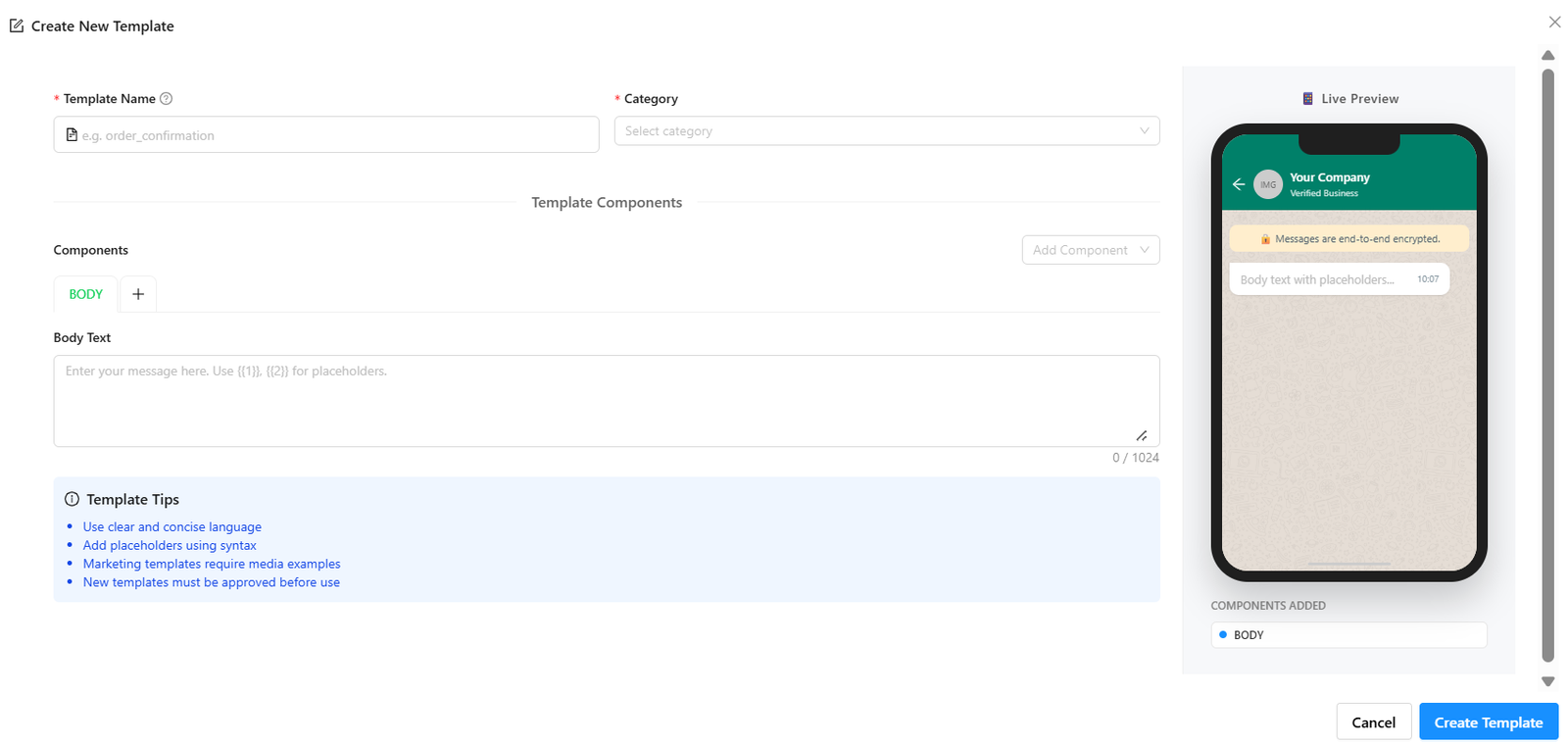
Step 6: Create and submit message templates
Templates are pre-approved messages you need for outbound messages outside the 24-hour customer service window. Each template is filed as marketing, utility, or authentication. Write them clearly, use correct variables, and don’t put promotional content in utility templates, since that is a common reason for rejection.
Step 7: Set up automation and chatbots
Build welcome messages, quick replies, FAQ flows, and lead qualification questions. Use automation for repetitive queries and hand complex chats to an agent.
Step 8: Test and go live
Send test templates to internal numbers. Check delivery, template status, chatbot flows, agent routing, and CRM syncing. Then start with a small audience, because new numbers have daily messaging limits that rise with verification and quality.
How much does WhatsApp Business API cost?
Meta charges per delivered template message, not per conversation. Rates depend on the template category (marketing, utility or authentication) and the recipient’s country. Replies inside the 24-hour customer service window are free. Your provider may add a platform fee, a per-message markup and GST, so ask whether Meta’s rates are passed through at cost. Meta updates rates quarterly, so check its current rate card before budgeting.
Also Read: What Is a WhatsApp BSP (Business Solution Provider)
How do you apply as a WhatsApp Business Solution Provider?
If you want to offer WhatsApp to other businesses, you apply through Meta. The usual path has three stages:
- Become a Tech Provider. Verify your business, create a Meta app with WhatsApp, pass App Review for advanced permissions and build Embedded Signup so clients can onboard.
- Partner with an existing Solution Partner or BSP if you don’t want to handle billing and infrastructure yourself.
- Upgrade to Tech Partner. Meta requires roughly 2,500 average daily messages, 10+ active business customers and a 90%+ number quality rating. Becoming a full BSP is a separate application with Meta.
Requirements change, so confirm them in Meta’s developer documentation before applying.
Why do WhatsApp API setups get delayed?
Four things cause most delays: mismatched business documents in verification, a number that is still active on WhatsApp, templates rejected for unclear content or wrong category, and integration errors with the CRM or webhook. Fixing these before you start usually saves days.
How does WhatZCRM help you run WhatsApp Business API?
WhatZCRM gives you a shared team inbox on one WhatsApp number, broadcasts, template management, chatbots, lead qualification and pipeline tracking in one dashboard. It is built for Indian SMBs that want to start without a developer. See how it works: WhatsApp lead generation with WhatZCRM.
Also read: How WhatsApp API Integration Works & Why Your Business Needs It
Final Thoughts
Setting up WhatsApp Business API comes down to a few clear steps: verify your business, register a dedicated number, get your templates approved, connect a CRM, and test before you go live. Choose your access route based on your team’s technical skills, and check Meta’s current per-message rates before you budget.
If you want to skip the technical work, WhatZCRM gives your team a shared inbox, automation and lead tracking on one WhatsApp number. Explore WhatsApp lead generation with WhatZCRM and start talking to customers where they already are.