
If you run a business on WhatsApp, you have almost certainly faced the same question: Should I send this message to a Group or through Broadcast? They look similar on the surface, both reach multiple people at once, but they work very differently, and choosing the wrong one can hurt your engagement, your privacy, or your customer relationships.
This guide breaks down every meaningful difference between WhatsApp Broadcast and WhatsApp Group, with a comparison table, real-world use cases, and a simple decision framework to help you pick the right tool every time.
What Do We Know About WhatsApp Broadcast?
A WhatsApp Broadcast (also called a Broadcast List) lets you send a single message to multiple contacts simultaneously. The message is delivered to each recipient as an individual private chat; they have no idea anyone else received the same message, and they cannot see other recipients’ numbers.
Key facts about WhatsApp Broadcast:
- Available on WhatsApp Business App (free) and WhatsApp Business API (for scale)
- On the free Business App, recipients must have saved your number to receive the broadcast
- The Business App limits each broadcast list to 256 contacts; the API has no such hard cap
- Replies land in your private chat with that contact conversations stay 1-on-1
- Recipients cannot see each other, maintaining full privacy
Overview of WhatsApp Group
A WhatsApp Group is a shared, multi-member conversation space where every participant can see all messages and, unless restricted by the admin, can reply to everyone. It is a fundamentally 2-way, community-style channel.
Key facts about WhatsApp Groups:
- Up to 1,024 members per group (as of Meta’s 2023 update)
- All members can see each other’s phone numbers by default
- Admins can restrict messaging rights so that only they can post
- Anyone can reply, react, and start sub-threads (unless restricted)
- Great for team collaboration, community building, and two-way engagement
Also Read: How to Send Bulk WhatsApp Messages to 1,000+ Contacts Safely
WhatsApp Broadcast vs WhatsApp Group: Side-by-Side Comparison
Feature | WhatsApp Broadcast | WhatsApp Group |
Message visibility | Private, each person gets a 1-on-1 message | Shared so that all members see every message |
Recipient privacy | No one sees others’ numbers | Low all numbers visible to members |
Two-way communication | No replies come back privately to the sender | Yes, everyone can reply publicly |
Contact limit (free app) | 256 per list | 1,024 members |
API scale | Unlimited (with approved templates) | Not designed for API use |
Requires saved contact? | Yes (free app) / No (API) | No |
Best for | Marketing, announcements, campaigns | Community, team chat, support groups |
Engagement style | One-to-many (private delivery) | Many-to-many (shared space) |
Spam risk | Lower controlled by the sender | Higher members can post anything |
CRM integration | Yes (via WhatsApp API) | Limited / not supported |
Pros and Cons of WhatsApp Broadcast
Advantages
- Privacy-first: recipients never know who else is on the list
- Feels personal: each contact receives the message as a direct 1-on-1 chat
- Ideal for marketing campaigns, product launches, and announcements
- No group noise, you control the message, and replies stay private
- With the WhatsApp Business API, you can send to unlimited opted-in contacts using approved templates
- Scales with CRM tools for segmentation, personalization, and analytics
Also Read: Top 10 WhatsApp CRM Tools Compared
Disadvantages
- No real-time audience interaction or community feel
- On the free Business App, contacts must save your number, reducing reach
- Broadcast lists are limited to 256 contacts on the free app
- Cannot gauge group sentiment or spark discussions
- Requires WhatsApp Business API + a platform like WhatZCRM to scale beyond 256
Pros and Cons of WhatsApp Groups
Advantages
- Enables genuine two-way conversation and community engagement
- Great for team collaboration, customer support communities, and loyalty groups
- Members can share files, images, and updates freely
- Group polls and reactions create interactive engagement
- Free and requires no API setup
Disadvantages
- All member phone numbers are visible, a privacy concern for many customers
- Admins cannot fully control what members post (unless posting is restricted)
- Notifications can be muted by members, limiting your reach
- No native integration with CRM tools or automation workflows
- Scaling to thousands of customers requires creating and managing multiple groups
- A blocked contact and the blocking user can still end up in the same group
When to Use WhatsApp Broadcast?
WhatsApp Broadcast is the right choice when:
- You are sending a promotional offer, product launch, or announcement to your customer base
- You want every customer to feel the message was sent personally to them
- You need to protect the privacy of your recipients (e.g., healthcare, finance, B2B)
- You are running a campaign with segmentation, for example, sending different messages to new vs. returning customers
- You want measurable open and response rates through a CRM platform
- Your audience is large (hundreds or thousands of contacts)
Also Read: What Is a WhatsApp CRM, and Why Businesses Need It
When to Use WhatsApp Groups
WhatsApp Groups are the right choice when:
- You are managing an internal team that needs to collaborate in real time
- You are building a close-knit customer community (e.g., a fitness challenge, a loyalty club)
- You need participants to interact with each other, not just with you
- The audience is small enough that managing one group is practical (under 200 people)
- You want to share updates and get immediate public feedback or discussion
WhatsApp Broadcast vs Group: Which Should You Choose?
Use this simple framework:
Your Goal | Best Choice |
Send marketing messages to customers at scale | Broadcast (API) |
Share announcements privately without revealing the recipient list | Broadcast |
Build a community where members interact | Group |
Manage your internal sales or support team | Group |
Run a drip campaign or promotional sequence | Broadcast (API) |
Gather customer feedback with an open discussion | Group |
Send personalized order updates or transactional alerts | Broadcast (API) |
Host a product knowledge or loyalty group | Group |
Get Started with WhatsApp Business API + CRM
If you are a business sending messages to more than 256 contacts, or you need automation, analytics, or segmentation, the WhatsApp Business App alone is not enough.
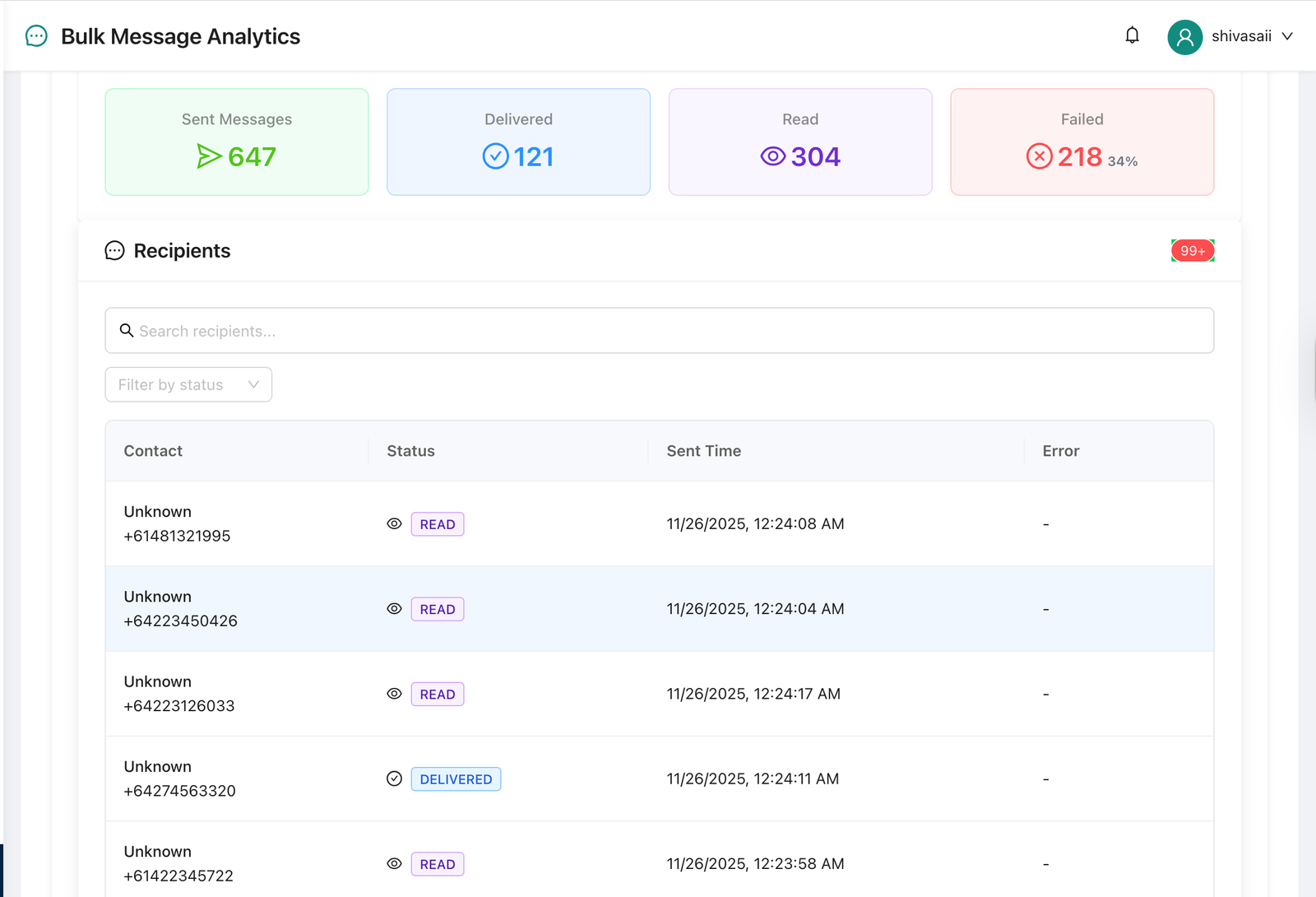
The WhatsApp Business API, accessed through platforms like WhatZCRM, removes the 256-contact broadcast limit, enables pre-approved message templates, provides delivery and read analytics, integrates with your CRM for contact segmentation, and lets you automate follow-up sequences based on customer behavior.
With WhatZCRM, you can run broadcast campaigns to thousands of opted-in contacts, personalize messages using CRM variables (name, last purchase, location), track open rates and replies, and trigger automated WhatsApp follow-ups all from one dashboard. [Learn more about WhatZCRM’s WhatsApp Broadcast feature.
Final Thoughts
WhatsApp Broadcast and WhatsApp Groups serve very different purposes. Broadcast is a private, scalable, marketing-friendly channel ideal for announcements, WhatsApp campaigns, and customer outreach. Groups are community spaces built for two-way conversation, team collaboration, and peer engagement.
For most businesses looking to grow through WhatsApp marketing, Broadcast, especially via the WhatsApp Business API, is the more powerful and privacy-respecting choice. For building genuine communities or managing teams, Groups remain unmatched.
Need to scale your WhatsApp Broadcast beyond 256 contacts? WhatZCRM integrates with the WhatsApp Business API and provides tools to reach thousands of opted-in customers through personalized, automated broadcast campaigns.