
Businesses across every industry are turning to WhatsApp as their primary marketing channel and for good reason. No other platform comes close to WhatsApp’s 98% open rate or its ability to put a message directly in front of a customer within seconds.
But there’s a problem: most businesses trying to learn how to send bulk messages on WhatsApp the right way end up either confused about limits, tempted by unofficial automation tools, or banned before they ever reach their audience at scale.
This guide covers everything you need to know to send 1000 WhatsApp messages safely, legally, and in compliance, while protecting your number and brand reputation. We’ll explain the actual sending limits (which differ from what most articles claim), how to climb through API tiers to reach 10,000+ contacts/day, what a proper warm-up looks like, and how to avoid the mistakes that get businesses flagged or permanently banned.
What Do We Know About WhatsApp Bulk Messaging?
To learn how to send bulk WhatsApp messages, you first need to understand what it actually means and what WhatsApp allows.
WhatsApp bulk messaging refers to sending the same or personalised message to multiple contacts simultaneously, using either WhatsApp’s native tools or the official WhatsApp Business API. It is not the same as manually messaging all your contacts one by one, and it is definitely not about using third-party scripts or unofficial “WhatsApp blaster” tools (more on why that’s dangerous below).
There are two official methods to send messages to multiple people on WhatsApp:
- Broadcast Lists (WhatsApp Business App) The free WhatsApp Business App lets you create broadcast lists to send a message to multiple recipients at once. However, there is a hard limit of 256 contacts per broadcast list. The recipient also needs to have saved your number in their contacts; otherwise, they won’t receive the message. This method is useful for very small campaigns but cannot scale to 1,000+ contacts without significant workarounds.
- WhatsApp Business Platform (API) The official solution for high-volume messaging is the WhatsApp Business Platform, commonly called the WhatsApp Business API. This is a cloud-based API provided by Meta that allows businesses (or their software partners) to send messages at scale, automate workflows, use pre-approved message templates, and integrate with CRM systems. This is the only compliant, legal, and scalable way to send 1000 WhatsApp messages safely.
Also Read: How WhatsApp API Integration Works & Why Your Business Needs It
Understand About WhatsApp API Messaging
This is the most important section most bulk messaging guides leave out entirely, and it’s why so many businesses get into trouble.
The WhatsApp Business API does not give you unlimited sending from day one. Sending capacity is controlled by a tiered messaging limit system that increases automatically as you demonstrate consistent, high-quality messaging.
The Official API Tier System
Tier | Daily Limit | How to Reach It |
Default (new number) | 250 unique users/day | Automatic upon registration |
Tier 1 | 1,000 unique users/day | Business verification + 125 conversations in 7 days |
Tier 2 | 10,000 unique users/day | Auto-upgrade after sustained usage at Tier 1 |
Tier 3 | 100,000 unique users/day | Auto-upgrade after sustained usage at Tier 2 |
Unlimited | No cap | High-quality senders, large enterprises |
Limits apply only to business-initiated conversations and messages you send first using pre-approved templates. If a customer messages you, you can reply freely within a 24-hour service window without it counting against your tier.
How to Climb Tiers Faster
WhatsApp upgrades your tier automatically when two criteria are met simultaneously:
- Your quality rating (based on blocks, reports, and engagement) is Medium or High
- In the last 7 days, you have initiated conversations with at least 50% of your current tier limit
Once both conditions are met, WhatsApp checks every 6 hours and upgrades you to the next tier within that 6-hour window. This means a well-run account can go from Tier 1 to Tier 2 in as little as one day of high-quality sending.
Step-by-Step Guide: How to Send Bulk Messages(1000+) WhatsApp Messages Safely
Now that you understand the limits and tiers, here is a practical step-by-step walkthrough for safely sending 1000 bulk WhatsApp messages using the official WhatsApp Business Platform.
Step 1: Set Up the Official WhatsApp Business API
To use bulk messaging at scale, you need access to the WhatsApp Business Platform. You can do this through two paths:
- Direct access: Apply through Meta’s official portal at business.whatsapp.com
- Solution Provider access: Connect through an official Meta Business Solution Provider such as WhatZCRM, Wati, or Interakt. This is the faster path for most small and medium businesses. The BSP(Business Services Provider) handles API setup, number verification, and ongoing compliance.
You will need a Meta Business Manager account, a dedicated phone number (not in active use on WhatsApp), and completed business verification.
Step 2: Build and Segment Your Contact List the Right Way
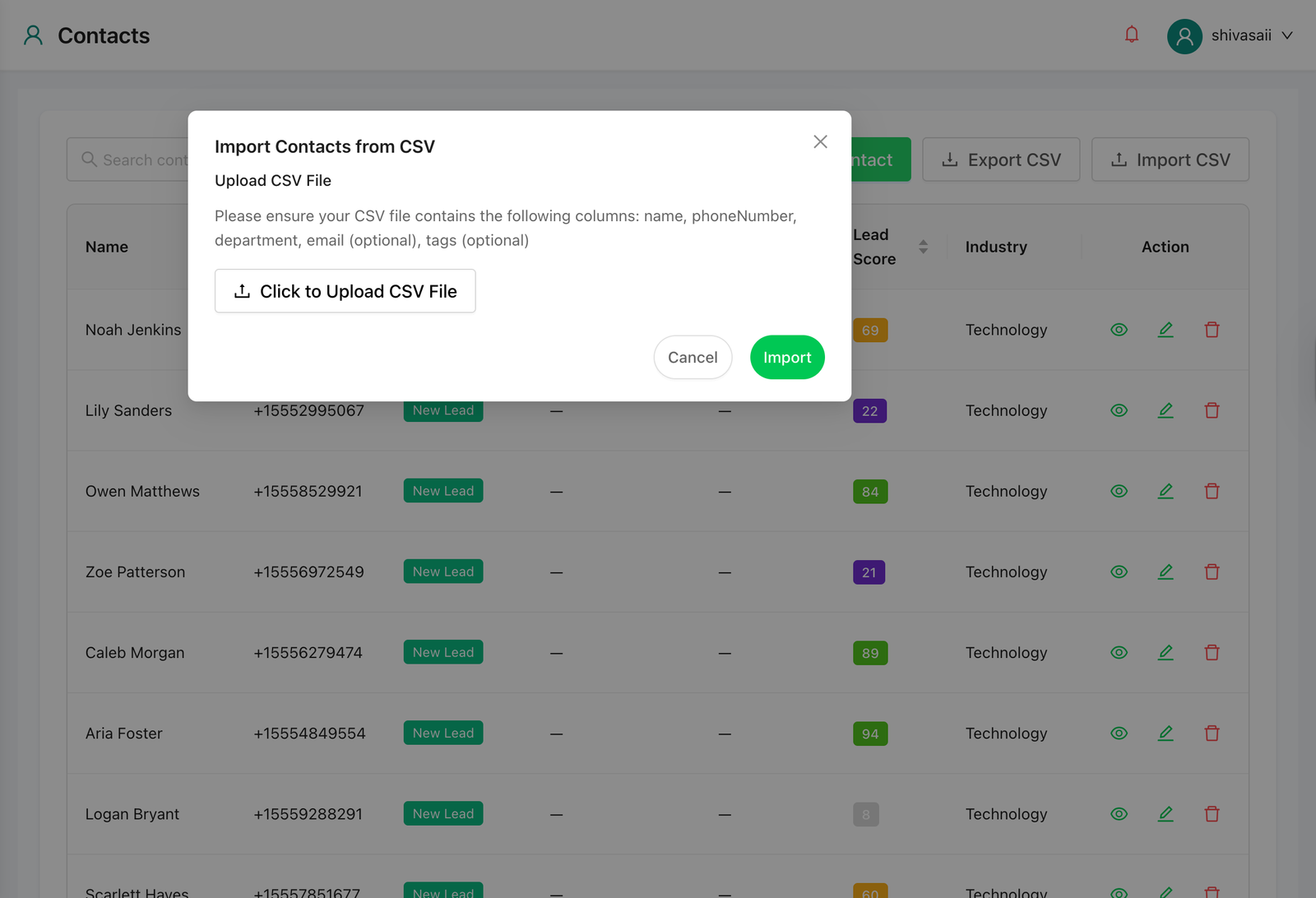
Import contacts from your CRM, your website sign-up forms, or a CSV export from your sales system. The quality of your contact list directly impacts your quality score and tier progression.
Segment contacts by purchase history, location, interest, or lead source. Sending the right message to the right segment is not just a best practice; it is what keeps your quality rating high, which in turn keeps your limits growing. Avoid sending 1,000+ messages instantly to a cold or unsegmented list.
Step 3: Collect Explicit Opt-Ins
WhatsApp’s Business Policy requires that you only send business-initiated messages to users who have explicitly opted in to receive messages from your business. This is not optional; it is a compliance requirement enforced by Meta.
Acceptable opt-in methods include website sign-up forms with a clear WhatsApp consent checkbox, in-app consent flows, QR codes at checkout or point of sale, and keyword-based opt-in via WhatsApp itself (e.g., “Reply YES to receive updates”).
Collect opt-ins properly and store the consent records. This protects you legally and operationally. Opted-in users are far less likely to block or report your messages.
Also Read: Top WhatsApp API Trends That Work for Businesses in 2026
Step 4: Create Pre-Approved Message Templates
Business-initiated messages on the WhatsApp API require pre-approved message templates. These are message formats that Meta reviews before you can use them in bulk sends. Approval typically takes 24–48 hours.
Templates must not be promotional in a deceptive way, must not impersonate other brands, and must include clear opt-out language when sending marketing content.
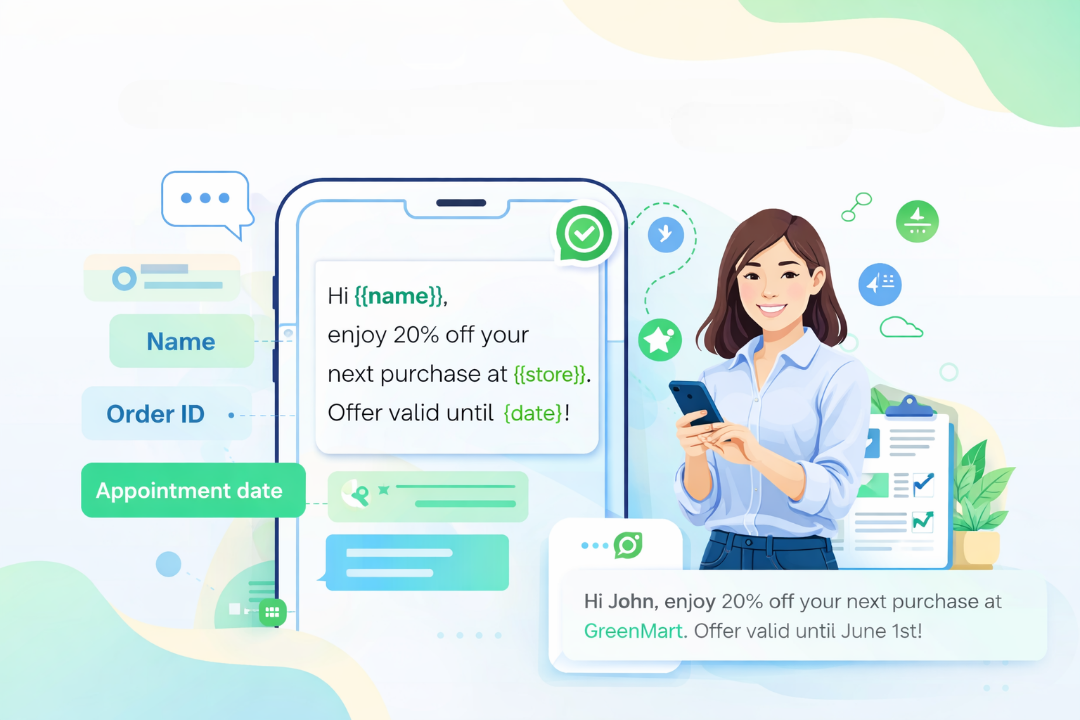
Personalise templates using dynamic variables to include the recipient’s name, order number, appointment date, or other relevant details. For example:
Hi {{1}}, your order {{2}} has been dispatched and will arrive by {{3}}. Reply STOP to unsubscribe.
Personalised messages consistently outperform generic ones in open rates and response rates, and they generate fewer blocks, which protects your quality score.
Step 5: Schedule Messages Using WhatZCRM
Once your templates are approved and your contact list is segmented, use a WhatsApp CRM tool like WhatZCRM to schedule and manage your bulk send.
WhatZCRM’s WhatsApp Message Scheduler allows you to plan sends at optimal times for each audience segment, control the delivery pace to stay within your tier limits, and automate follow-up sequences for engaged contacts.
Avoid sending 1,000+ messages instantly, even if your tier allows it. Spread your sends across the day to maintain a natural engagement pattern and reduce the risk of automated quality flags.
Step 6: Monitor Quality Rating and Delivery Analytics
After each campaign, check your quality rating in WhatsApp Manager immediately. A Green (High) rating means you are safe to increase volume. An Orange (Medium) rating is a warning to review your content and targeting. A Red (Low) rating means you need to pause and significantly revise your approach.
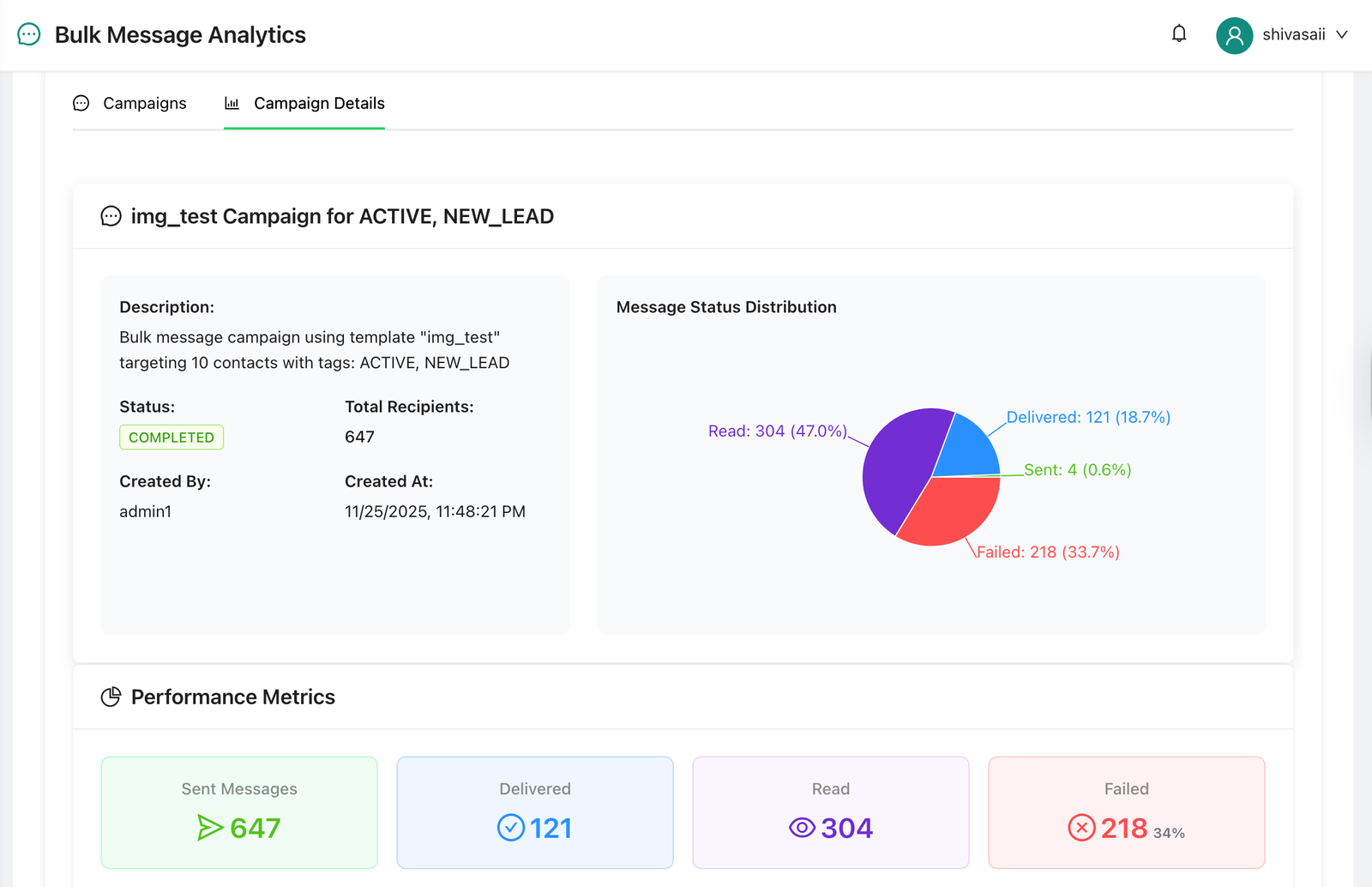
WhatZCRM provides real-time delivery tracking, open and reply rates, and campaign-level reporting. Use this data to refine each subsequent campaign by identifying which segments responded best, which templates performed well, and which times of day drove the highest engagement.
Also Read: Top 9 Bulk WhatsApp Sender Software for Business Growth
Risks of Using Unofficial Bulk Messaging Tools
Many businesses searching for how to send bulk messages on WhatsApp end up finding third-party tools that promise to message thousands of contacts instantly from a regular WhatsApp account. These are unofficial, policy-violating tools, and the consequences are severe.
Using these tools violates WhatsApp’s Terms of Service and can result in your phone number being permanently banned. There is no appeal process for numbers that are banned due to API policy abuse. Beyond losing your number, you also risk legal exposure under anti-spam regulations in many countries, damage to your brand’s sender reputation, and zero delivery messages may appear to have been sent but never actually reach recipients.
The only safe, scalable, and compliant way to send 1000 WhatsApp messages safely is through the official WhatsApp Business Platform, with proper opt-ins, approved templates, and a reputable integration partner.
Common Mistakes to Avoid While Sending Bulk Messages
Choosing Random Contact Lists: Cold contacts who did not opt in will block you at high rates, collapse your quality score, and can trigger a permanent ban within days.
Risk of Personal WhatsApp App Use: Personal accounts face even stricter restrictions on bulk sending. The WhatsApp Business App and Business API exist specifically for business messaging.
Sending the Same Message to Everyone: Impersonalised, generic messages perform poorly and are flagged more often. Always use dynamic fields for at least the recipient’s name.
Ignoring Quality Rating Warnings: A Medium (Orange) rating is a warning, not a crisis, but ignoring it and continuing at full volume will get you restricted. Treat it as a signal to review your content and segmentation immediately.
Why WhatZCRM for WhatsApp Bulk Messaging
WhatZCRM is built on the official WhatsApp Business Platform, which means every campaign you run through it is compliant with Meta’s policies by default. Beyond compliance, WhatZCRM combines WhatsApp API access with CRM automation and a multi-agent team inbox so the same platform that sends your bulk campaigns also handles customer replies, follow-ups, and support conversations.
Key features for bulk messaging include a drag-and-drop message scheduler, advanced audience segmentation, personalised template management, real-time quality rating monitoring, and full campaign analytics. For businesses scaling from 1,000 to 10,000+ daily sends, having these tools in one place removes the complexity of stitching together separate tools
Final Thoughts
Learning how to send bulk messages on WhatsApp the right way is not complicated, but it does require using the official tools, understanding the tier system, and treating your quality score as the most important metric in your messaging strategy.
The businesses that scale successfully on WhatsApp are not the ones that try to send 1,000 messages instantly on day one. They are the ones that build their sender reputation carefully, send genuinely relevant messages to opted-in audiences, and let WhatsApp’s tier system reward them with progressively higher limits over time.
Use the official WhatsApp Business Platform (API) via an authorised tool like WhatZCRM, collect proper opt-ins, use approved templates, and consistently monitor your quality rating. Follow these steps to safely send bulk messages on WhatsApp to 1,000, 10,000, or 100,000+ contacts without risking a ban.