
Every growing business hits the same wall: WhatsApp conversations pile up faster than a team can manage them manually. The fix is the WhatsApp Business API, but businesses then face a second decision that shapes everything downstream: WhatsApp Cloud API vs On-Premise API.
Both connect your business to WhatsApp’s 3-billion-user network. Both support automation, broadcasts, and CRM integration. But how they’re hosted, maintained, and scaled is completely different, and that difference decides your setup time, your monthly bill, and how fast your support or sales team can actually start replying.
This guide breaks down the 7 key differences between WhatsApp Cloud API and On-Premise API, so you can pick the right foundation before building your WhatsApp engine with a platform like WhatZCRM.
Also Read: Why to Integrate WhatsApp with Your CRM
Table of Contents
ToggleWhat Do We Know About WhatsApp Cloud API?
WhatsApp Cloud API is Meta’s own cloud-hosted version of the WhatsApp Business API. Meta manages the servers, uptime, and security, so businesses simply connect their number through a CRM or BSP like WhatZCRM and start messaging within hours, not weeks.
What Do We Know About WhatsApp On-Premise API?
WhatsApp On-Premise API is the self-hosted version, run on your own servers or a private data center. It offers full infrastructure control but requires an in-house DevOps team to install, patch, and scale it, which is why Meta itself has been phasing it out in favor of Cloud API.
Also Read: Best WhatsApp API Service Providers for Businesses in 2026
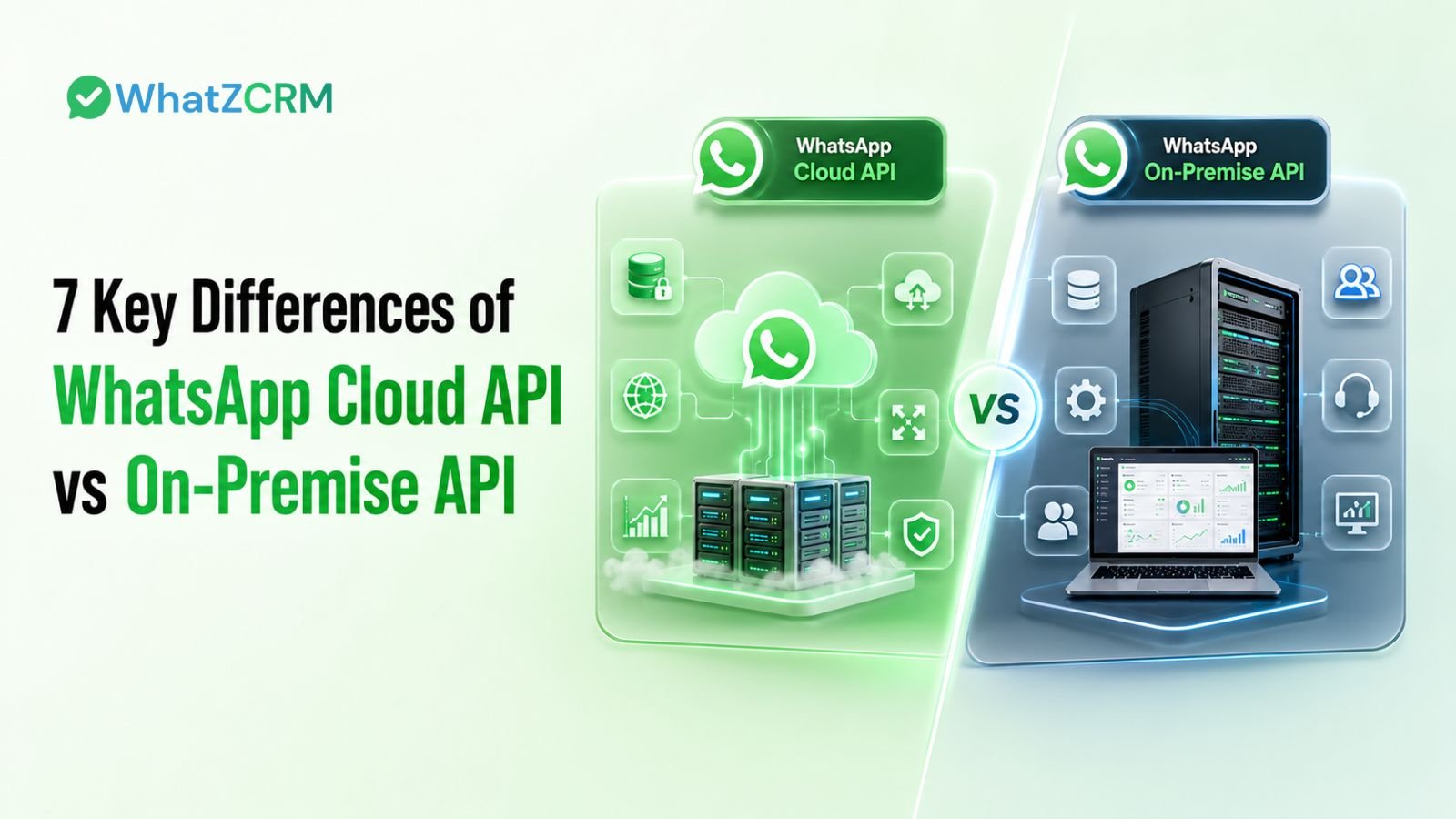
7 Key Differences Between WhatsApp Cloud API and On-Premise API
1. Hosting and Deployment
Cloud API runs entirely on Meta’s infrastructure no servers to buy or maintain. On-Premise API requires you to provision, install, and host the software yourself, which can take days to weeks before you send your first message.
2. Setup Time and Ease of Onboarding
With a CRM like WhatZCRM, Cloud API activation takes minutes: verify your business, connect your number, and go live. On-Premise setup involves server provisioning, technical configuration, and IT sign-off a much longer runway for Indian SMBs that need to move fast.
3. Cost and Total Cost of Ownership
Cloud API keeps costs predictable; you pay for conversations, not infrastructure. On-Premise API adds server costs, IT staffing, and ongoing maintenance on top of messaging charges, which usually only makes financial sense at large enterprise volume.
4. Scalability for Growing Businesses
Cloud API scales automatically as your message volume grows, whether that’s 500 chats a day or 50,000 during a festive sale. On-Premise scaling means adding servers and reconfiguring load balancing manually a bottleneck when demand spikes overnight.
5. Maintenance and Feature Updates
Meta pushes new WhatsApp features, templates, catalog upgrades, and automation tools to Cloud API first, and updates happen automatically. On-Premise API requires manual upgrades and testing, so new features often arrive months later.
6. Security and Compliance
Cloud API runs on Meta’s enterprise-grade security, encryption, and compliance standards sufficient for most retail, services, and D2C businesses. On-Premise API gives full data control, which matters for regulated sectors like banking or healthcare that need in-house audit trails.
7. CRM Integration and Developer Experience
Cloud API integrates smoothly with modern CRMs, chatbot builders, and ad platforms. This is exactly where WhatZCRM plugs in, connecting Cloud API to a unified inbox, chatbot builder, and Click-to-WhatsApp ad tracking out of the box. On-Premise API integrations require custom development and dedicated engineering support, adding friction to every new workflow.
Also Read: WhatsApp API Free vs Paid Plans Explained in 2026
WhatsApp Cloud API vs On-Premise API: Quick Comparison
Factor | Cloud API | On-Premise API |
Hosting | Meta-managed | Self-hosted |
Setup time | Minutes to hours | Days to weeks |
Maintenance | Zero (Meta handles it) | Ongoing, in-house |
Cost | Pay-per-conversation | Servers + IT + conversation fees |
Scalability | Automatic | Manual capacity planning |
Best for | SMBs, D2C, growth teams | Regulated enterprises with IT infra |
Which Should You Choose Between WhatsApp Cloud API and On-Premise API?
For most Indian SMBs, D2C brands, clinics, real estate agencies, and service businesses, WhatsApp Cloud API is the practical choice. It’s faster to launch, cheaper to run, and pairs directly with a CRM like WhatZCRM for chatbot automation, lead segmentation, and a shared team inbox, without needing a dedicated engineering team.
On-Premise API still has a place mainly for large regulated enterprises (banking, insurance, healthcare) that need complete in-house data control and already have the IT infrastructure to support it.
Also Read: How AI Chatbot Works with WhatsApp CRM
Build Your WhatsApp Engine the Smart Way
Whichever API model fits your business, the real value comes from what you build on top of it. WhatZCRM connects to WhatsApp Cloud API and turns it into a complete growth engine with a no-code chatbot builder, unified inbox, AI-based lead segmentation, and Click-to-WhatsApp ad tracking designed specifically for Indian SMBs.
Try Our WhatsApp CRM Free Trial
Conclusion
At the end of the day, WhatsApp Cloud API vs On-Premise API isn’t really a technical debate; it’s a business one. Cloud API gets you live faster, costs less to run, and scales without hiring a server team, making it the default choice for growing Indian SMBs.
On-Premise API still earns its place for large, regulated enterprises that need full in-house data control. For everyone else, the smarter path is Cloud API paired with a CRM built to make the most of it, which is exactly where WhatZCRM comes in.
Frequently Asked Questions (FAQs)
The WhatsApp Cloud API has no licensing fee from Meta. However, businesses still pay Meta's messaging charges based on the message category, along with any subscription fees charged by their WhatsApp CRM or Business Solution Provider (BSP), such as WhatZCRM.
Yes. You can migrate by deregistering your phone number from the On-Premise API and registering it with the WhatsApp Cloud API through a provider like WhatZCRM. With proper planning, the migration can be completed with minimal downtime.
For most small and medium-sized businesses, the WhatsApp Cloud API is the better choice. It requires no server infrastructure, offers faster setup, automatic updates, lower maintenance costs, and seamless integration with CRM platforms designed for Indian business workflows.