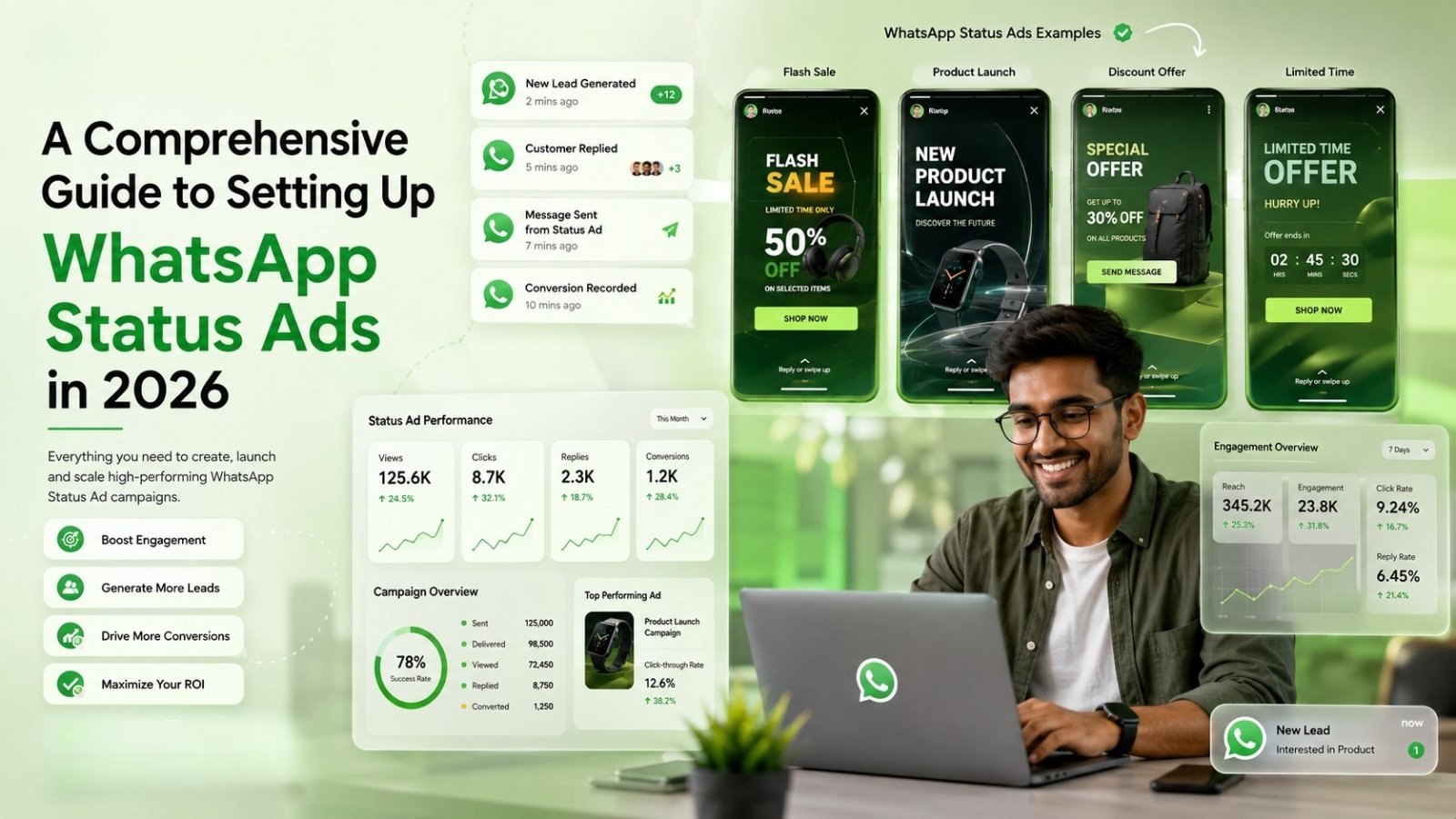

WhatsApp Status Ads are full-screen ads that appear between Status updates in WhatsApp’s Updates tab, letting users tap straight into a chat with your business. Unlike Click-to-WhatsApp Ads, which pull people in from Facebook or Instagram, Status Ads reach audiences already inside WhatsApp, making them ideal for retargeting and high-intent conversions.
The real opportunity isn’t the ad format itself; it’s what happens after the tap. With WhatZCRM, every Status Ad lead lands directly in a CRM pipeline automatically tagged, qualified, assigned to a team member, and followed up on instead of sitting in a chat thread waiting to be missed.
What Do We Know About WhatsApp Status Ads?
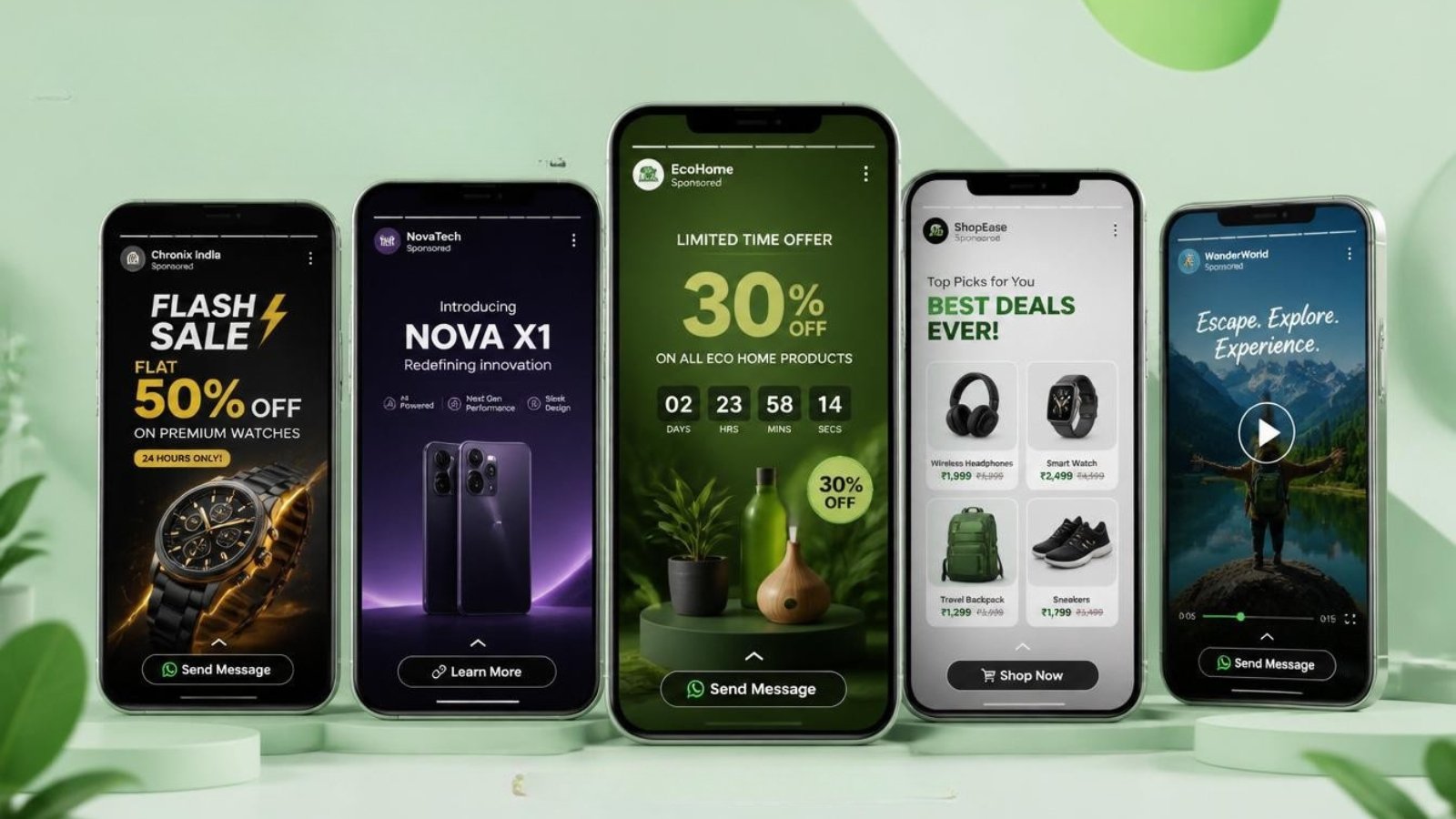
WhatsApp Status Ads are a new ad format from Meta that places full-screen, vertical (9:16) ads between organic Status updates in the Updates tab, similar to how Instagram Stories ads work. Rolled out globally through Meta Ads Manager starting late 2025 and available worldwide as of early 2026, these ads disappear after 24 hours, making them ideal for time-bound offers, launches, and event promotions.
When a user taps the CTA, they land directly in a WhatsApp chat with your business, no website, no form, no extra app. For Indian businesses in real estate, automotive, education, and healthcare, this means a prospect can go from “scrolling Status” to “chatting with your sales team” in a single tap.
Also Read: How to Convert Ad Clicks into Conversations & Deal Closures in WhatsApp CRM
How WhatsApp Status Ads Work in Reality
The user journey is simple:
- Discovery: Your ad appears between Status updates in the Updates tab.
- Tap: The user taps your CTA (“Chat Now,” “Book a Visit,” “Get Quote”).
- Instant Chat: A WhatsApp conversation opens with a pre-filled message.
- Campaign Management: You run targeting, budgets, and creatives via Meta Ads Manager.
- Audience Delivery: Meta uses location, device, and behavioral signals to show your ad to relevant users.
This is where most guides stop at “a chat opens.” But for a business running 50-100 Status Ad taps a day, that’s 50-100 unstructured WhatsApp threads with no pipeline, no ownership, and no follow-up tracking. That’s the gap WhatZCRM closes.
Also Read: How to Run a WhatsApp Campaign 2026 Guide for Scalable Growth
Status Ads vs Click-to-WhatsApp Ads
| Factor | WhatsApp Status Ads | Click-to-WhatsApp Ads (CTWA) |
| Where shown | Inside WhatsApp Updates tab | Facebook/Instagram feeds, Reels, Stories |
| Audience mindset | Already messaging, high trust | Browsing mode, broader reach |
| Best for | Retargeting, warm leads, festive offers | Cold audience acquisition |
| Creative format | Full-screen vertical only (1080×1920) | Multiple formats |
| Funnel stage | Mid-to-lower funnel | Top of funnel |
The winning combination: Use CTWA to pull new audiences into WhatsApp, and Status Ads to re-engage and convert users already there. Run both into the same WhatZCRM inbox and pipeline, so your team isn’t toggling between sources every lead, regardless of ad type, lands in one shared view with source tagging.
Step-by-Step Guide to Set Up WhatsApp Status Ads
- Open Meta Ads Manager and create a new campaign. Choose Messages as your objective for conversation-driven results.
- Define audience and budget: location, age, device, and daily spend. Start lean and scale based on response quality.
- Select Placement manually: under Placements, choose Manual Placements, then select WhatsApp Status specifically. Avoid Advantage+ here to keep targeting and data clean.
- Connect your WhatsApp Business API number: this is critical. Without an API-connected number, automation can’t trigger when someone taps your ad.
- Design your creative: vertical 1080×1920 px, one offer, one CTA. Set a pre-filled opening message like “Hi, I’m interested in [property/service], please share details.”
- Launch and connect to WhatZCRM: once your number is linked to WhatZCRM, every incoming chat from the ad is automatically logged as a new lead with the ad source tagged.
6 Reasons Businesses Lose Status Leads (and How to Fix It)
A tap on your ad is just the first step. What determines whether that becomes a customer is what happens in the next few minutes, and most businesses fail right here because they’re managing leads inside a regular WhatsApp app with no structure.
Here’s how WhatZCRM turns every Status Ad tap into a managed pipeline opportunity:
- Automatic Lead Capture & Tagging. The moment someone taps your Status Ad and opens a chat, WhatZCRM automatically creates a lead record, tags it with the campaign source, and timestamps the entry with no manual data entry.
- AI Agents for Instant Response WhatZCRM’s AI agents respond within seconds, ask qualifying questions (budget, location, timeline for real estate; model interest for automotive), and route the conversation based on the answers available 24/7, even outside business hours.
- Shared Team Inbox, Multiple Status Ad campaigns running simultaneously means multiple incoming chats. WhatZCRM’s shared inbox lets your sales team see, claim, and respond to leads without duplication or leads slipping through cracks.
- Pipeline Stage Tracking. Unlike a chat thread that just sits there, every lead moves through a visual pipeline — New → Contacted → Qualified → Site Visit/Demo → Closed, so your team always knows what needs follow-up.
- Automated Follow-Up Sequences Most Status Ad leads don’t convert on the first chat. WhatZCRM automates follow-up messages at 1, 3, and 7 days for non-responders, keeping leads warm without manual reminders.
- Campaign-Level Analytics: See which Status Ad creative, offer, or audience segment is generating the highest-quality leads, not just clicks, but actual pipeline conversions, so you can reallocate ad spend toward what works.
Also Read: Step-by-Step Guide to WhatsApp for Business in 2026
Best Practices for Businesses Running Status Ads
- Use festive and regional timing: Status Ads with 24-hour visibility are perfect for Diwali, IPL season, or regional festival offers tied to real estate site visits or automotive showroom walk-ins.
- NRI-targeted creatives: Real estate businesses targeting NRI buyers can use Status Ads with timezone-aware send schedules, paired with WhatZCRM’s automated WhatsApp follow-ups for overseas leads.
- Pre-filled messages in regional languages: Increase response rates by matching the CTA message language to your target audience’s region.
- Connect every campaign to one CRM: Whether leads come from Status Ads, CTWA, or organic WhatsApp inquiries, route them all into WhatZCRM, so your pipeline reflects total demand, not just one channel.
To Conclude
WhatsApp Status Ads give businesses a powerful new way to reach high-intent audiences without ever leaving the app, but the ad tap is only the beginning. The real difference between a missed opportunity and a closed deal lies in what happens in the minutes and days after that first chat opens. By connecting your WhatsApp Business API number to WhatZCRM, every Status Ad lead is automatically captured, qualified, and moved through a structured pipeline backed by AI agents, a shared team inbox, and automated follow-ups that keep leads warm until they convert. As Status Ads roll out further across India in 2026, businesses that pair this format with full WhatsApp CRM automation will consistently outperform those relying on chat threads alone.