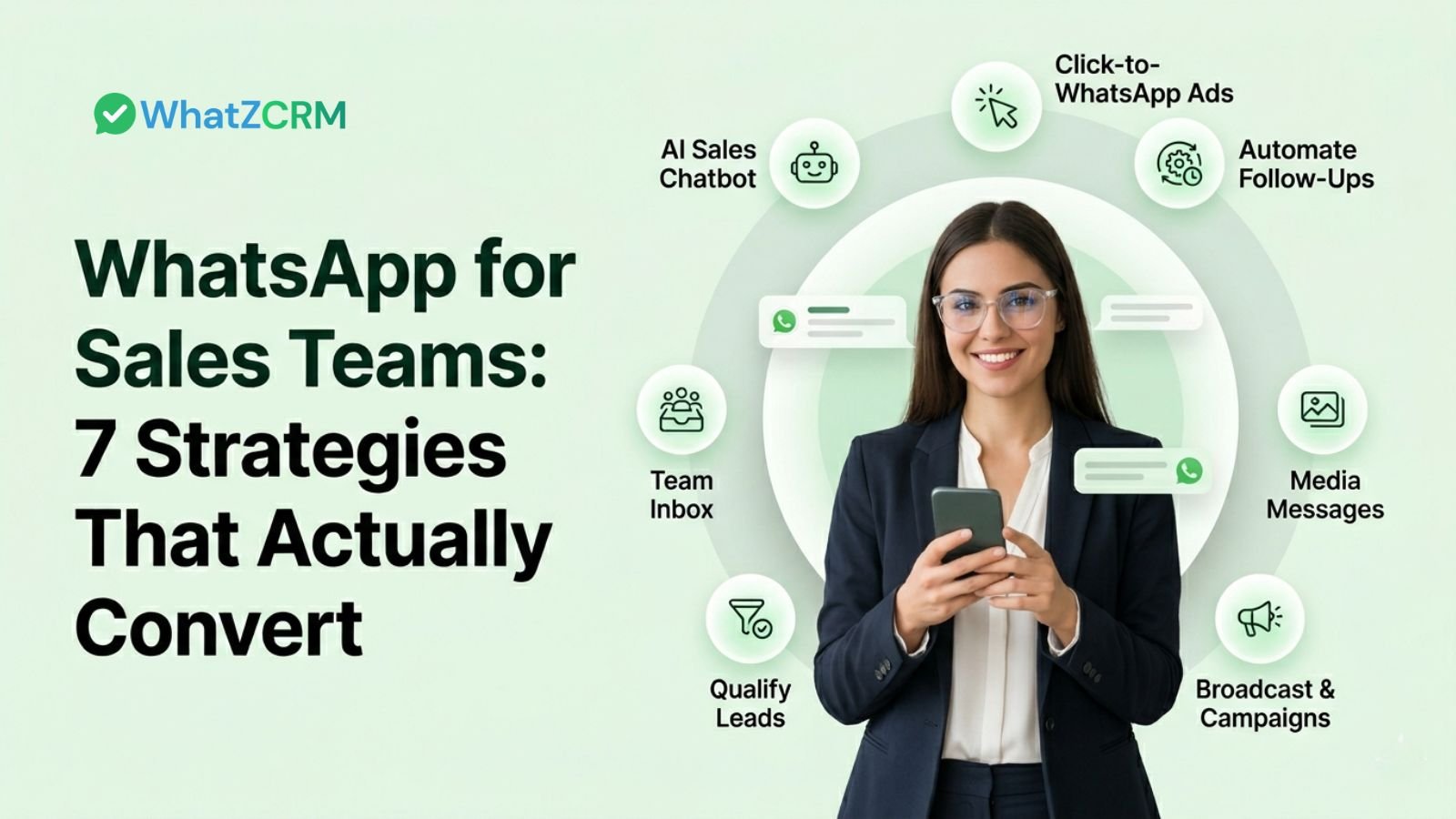

Sales teams that have shifted to WhatsApp for sales are seeing dramatically shorter sales cycles, higher reply rates, and lead conversion rates that leave email benchmarks in the dust. The reason is simple: your prospects are already in WhatsApp, every single day, for hours at a time. Let’s be direct: email is drowning. Cold calls go to voicemail. But WhatsApp? It has a 98% open rate, and most messages are read within three minutes. With over 3 billion active users globally. This guide breaks down exactly 8 tactics your sales team can implement today using WhatZCRM (whatzcrm.com), the #1 WhatsApp CRM platform built for sales, marketing, and customer engagement.
7 Proven Ways How WhatsApp Sales Chatbot Enhances Sales Teams
1. Deploy an AI Sales Chatbot for 24/7 Lead Qualification
The number one conversion killer for sales teams? Slow response time. Studies show that leads contacted within 5 minutes are 9x more likely to convert than those contacted after 30 minutes. The problem is your sales reps can’t be online 24/7, but your AI chatbot can. WhatZCRM’s AI Sales Chatbot works around the clock to greet incoming leads, ask qualifying questions about budget, timeline, and requirements, score them automatically, and route the hot ones straight to your human reps with full conversation context already captured. What Makes This Tactic Convert:
- Instant response under 10 seconds, prospects never feel ignored
- Smart lead scoring only high-intent leads reach your reps
- Automated demo booking syncs with Google Calendar or Calendly
- Hot lead escalation, seamless handoff to human agents with full context
- Drip sequences for cold leads, no prospect is lost, just nurtured
💡 Real Result: One SaaS sales director using WhatZCRM’s AI chatbot reported that qualified demo bookings surged 42% in the first few weeks, while the team’s time spent on unqualified leads dropped by 70%. The no-code chatbot builder means your sales ops team can build and deploy these flows in minutes, no developers, no delays. Train the bot with your FAQs, product sheets, and pricing tables, and it responds like a seasoned sales rep.
2. Use Click-to-WhatsApp Ads to Fill Your Pipeline
Most paid traffic goes to a landing page where leads vanish into thin air. Click-to-WhatsApp ads are different; they send prospects directly into a WhatsApp conversation with your brand the moment they click. No form fills. No drop-off. Just an immediate, warm conversation. Run these through Facebook or Instagram Ads, and pair them with an automated WhatZCRM chatbot flow that fires instantly when the chat opens. The prospect gets a personalized welcome, answers a few questions, and is qualified before your rep even looks at their phone.
- Works for both B2B and B2C sales motions
- Dramatically lower cost-per-lead vs. traditional form-based ads
- The first message can include product catalogs, pricing, or demo booking links
- All leads auto-sync into WhatZCRM’s CRM pipeline
3. Automate Follow-Ups So No Lead Goes Cold
Sales research consistently shows it takes 8–12 touchpoints to close most B2B deals. Most sales reps give up after two or three. The gap? Automated, timely follow-ups that keep your brand top of mind without burning out your team. WhatZCRM’s Auto follow-up feature lets you build WhatsApp drip sequences triggered by specific customer actions or their absence. A prospect goes quiet after your demo? Trigger a follow-up sequence automatically. A Proven Follow-Up Sequence for Sales Teams:
- Day 0: Instant ‘Thanks for your interest’ with key resources
- Day 2: Case study or social proof relevant to their industry
- Day 5: Product demo video or feature walkthrough
- Day 8: Special offer or urgency trigger (‘This week only…’)
- Day 14: Breakup message: ‘Still interested? Just let us know.’
Personalize each message using CRM variables, use the prospect’s name, company name, or their last product viewed. Personalized follow-ups on WhatsApp get 3x higher reply rates vs. generic sequences..
4. Send Rich Media Messages That Drive Action
Text-only messages are table stakes. Sales teams that convert on WhatsApp use rich media images, PDFs, product videos, carousels, and interactive buttons to make every conversation feel like a curated sales experience. WhatsApp supports a full range of media formats, and WhatZCRM makes it easy to deploy them at scale:
- Product carousels showcase up to 10 products in a single swipeable message
- Video demos send personalized screen recordings or product walkthroughs
- PDF brochures and pricing sheets share assets without ever leaving the chat
- Quick-reply buttons reduce friction with one-tap responses like ‘Book a Call’ or ‘See Pricing.’
- AI voice notes for high-ticket items, a personalized voice message builds trust instantly
When selling complex products, a 60-second voice note from a sales rep converts dramatically better than a wall of text. WhatsApp is uniquely positioned for this kind of intimate, multimedia selling. 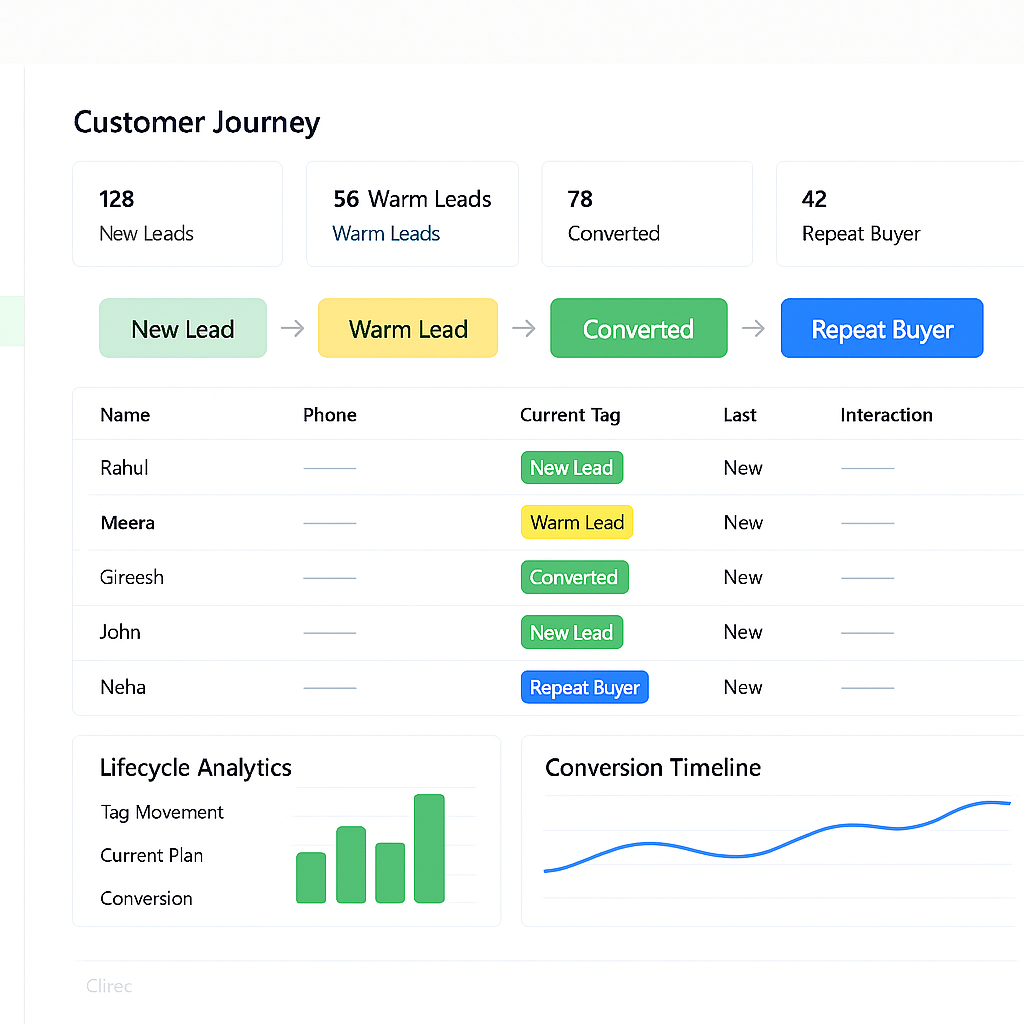
5. Broadcast Hyper-Personalized Campaigns at Scale
One of the most powerful and most underused WhatsApp sales tactics is the broadcast campaign. Unlike email newsletters that land in the Promotions tab and get ignored, a WhatsApp broadcast lands in the same inbox where your prospect chats with their family and friends. WhatZCRM’s WhatsApp campaign automation lets you send personalized broadcasts to thousands of opted-in contacts simultaneously. The keyword is personalized; you’re not sending a mass blast, you’re sending each person a message that looks like it was written just for them. High-Performing Broadcast Use Cases for Sales Teams:
- Product launch announcements to warm leads and past customers
- Flash sale or limited-time offer notifications
- Milestone triggers: ‘You’ve been a customer for 1 year, here’s your loyalty offer.’
- Seasonal campaigns tied to industry events or holidays
- Competitive displacement campaigns when a rival raises prices
6. Qualify Leads with Smart Chat Flows
Not all leads are created equal. Sales teams that try to manually work every inbound lead waste hours on prospects who will never buy. The solution? Automated WhatsApp lead qualification flows that do the sorting for you. WhatZCRM’s lead qualification bot uses intent-based questions and branching logic to automatically segment every incoming lead. Based on their answers, leads are tagged and routed: hot leads go straight to your top closers, warm leads enter nurture sequences, and unqualified leads get redirected to educational content. A Simple Qualification Flow Structure:
- Welcome message + product/service options (quick reply buttons)
- Budget range question
- Timeline question (‘Are you looking to start within 30 days?’)
- Decision maker confirmation
- Auto-routing based on score: Hot / Warm / Not Ready
WhatZCRM automatically scores and segments every lead based on their WhatsApp responses, CRM history, and behavior patterns so your best reps always talk to the highest-value prospects. Visit: whatzcrm.com/ai-sales-chatbot .
Also Read: How AI Sales Chatbot Qualifies Leads and Closes Deals Faster
7. Use a Shared Team Inbox to Close Deals Faster
When WhatsApp conversations are scattered across individual reps’ phones, deals fall through the cracks. Prospects get ignored when reps are sick, on leave, or simply overwhelmed. The solution is a shared team inbox, one unified WhatsApp number, where your entire sales team works together in real time. WhatZCRM’s Unified Team Inbox gives every sales rep visibility into all conversations, with the ability to assign chats, leave internal notes, add labels, and hand off deals seamlessly. No more ‘that was in my personal WhatsApp’ situations.
WhatsApp Sales Message Templates That Convert
Every outbound message on WhatsApp Business API requires a pre-approved template. Here are five high-converting templates your sales team can customize and deploy through WhatZCRM today:
1. Initial Outreach Template
Template: Hi {{name}} I’m {{rep_name}} from {{company}}. I saw you expressed interest in {{product}}. I’d love to show you how we’ve helped companies like {{similar_company}} achieve {{result}}. Got 15 minutes this week for a quick call? Reply YES, and I’ll send you options!
2. Post-Demo Follow-Up Template
Template: Hey {{name}}, great speaking with you today! Here’s a quick summary of what we discussed: [Point 1] | [Point 2] | [Point 3]. I’ve attached our pricing guide for your review: {{link}}. Any questions? I’m here all week, just reply!
3. Objection-Handler Template
Template: Hi {{name}}, I understand now might not be the perfect time, totally get it! Just wanted to share this quick case study that shows how {{company_name}} solved a similar challenge: {{link}}. No pressure, reach out whenever you’re ready, and I’ll be here.
4. Urgency / Closing Template
💬 Template: Hey {{name}}, quick heads up our {{offer/pricing/pilot slots}} are only available until {{date}}. I’d hate for you to miss out, given what we discussed. Can we lock in a decision this week? I can answer any final questions right here on WhatsApp. 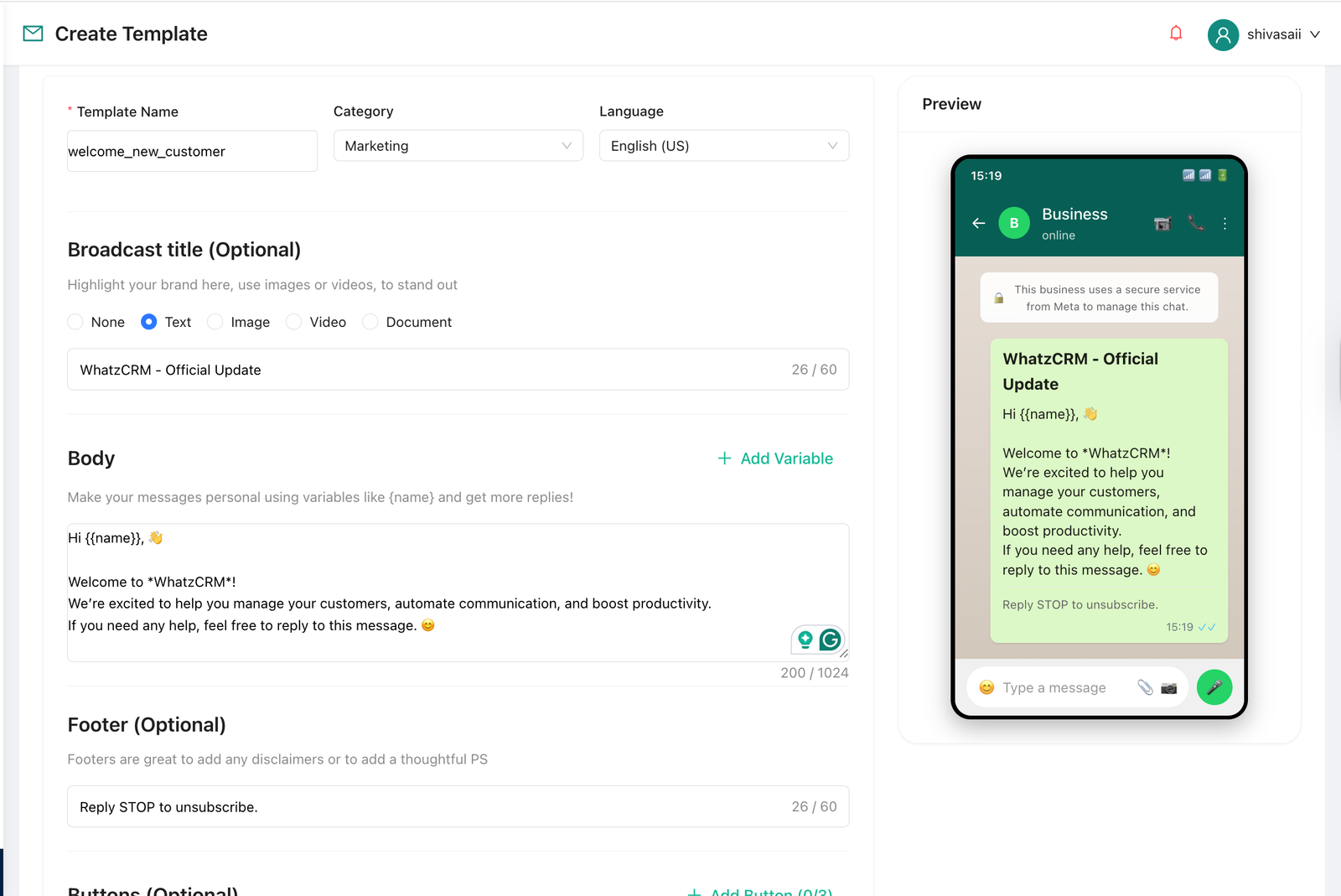
5. Re-Engagement Template
💬 Template: Hi {{name}}, it’s been a while! Just checking in, are you still exploring options for {{pain_point}}? A lot has changed with {{product}} since we last spoke, including {{new_feature}}. Worth a quick 10-minute catch-up? Let me know what works for you!
Also Read: How WhatsApp Business Greeting Message Works and 50+ Message Templates
How to Set Up WhatsApp Sales Chatbot with WhatZCRM
Getting started with WhatsApp for sales doesn’t have to be complicated. WhatZCRM gets you live in three simple steps, no technical team required: Step 1: Connect Your WhatsApp Business API Number: Link your official WhatsApp Business number to WhatZCRM. The platform handles all the technical configuration, including Meta Business Manager verification, in a guided, no-code setup flow. Step 2: Build Your Automation & Sales Flows: Use WhatZCRM’s visual chatbot builder to create your lead qualification flows, follow-up sequences, and broadcast campaigns. Upload your FAQs, pricing sheets, and sales scripts to train the AI chatbot. Define routing rules so hot leads reach the right rep instantly. Step 3: Launch, Track, and Optimize: Go live and watch your pipeline fill. Monitor key metrics through WhatZCRM’s real-time analytics dashboard, including response times, conversion rates, rep performance, and campaign ROI. Use the data to refine your flows and continuously improve results.
Final Thoughts
WhatsApp for Sales Teams is no longer just an optional channel; it’s becoming the core engine for modern sales success. With unmatched open rates, real-time conversations, and highly personalized engagement, WhatsApp allows sales teams to connect with prospects where they are most active and responsive. When combined with the right tools, such as automation, AI chatbots, and CRM integration, it transforms scattered conversations into a structured, high-converting sales pipeline. By implementing the strategies outlined above, ranging from AI-driven lead qualification to automated follow-ups and rich media engagement, sales teams can significantly shorten sales cycles, improve response times, and boost conversion rates. The key difference lies not in using WhatsApp, but in using it strategically and systematically.