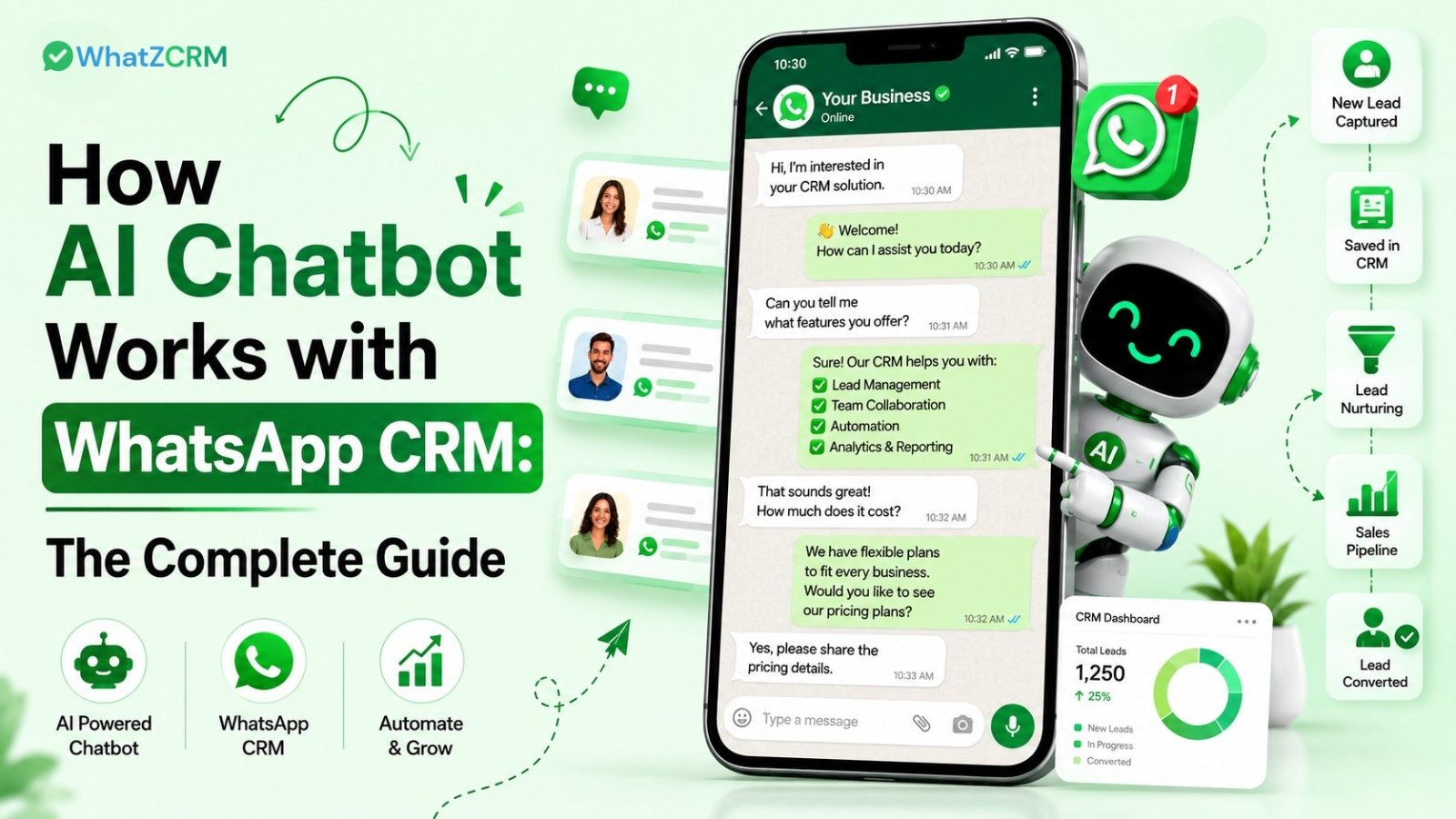

A WhatsApp chatbot is an intelligent, automated assistant that handles customer conversations on WhatsApp and connects them directly to your CRM pipeline. Unlike a standalone chatbot, it does not just reply to messages; it qualifies leads, updates deal stages, tags contacts, and triggers follow-up workflows inside your CRM in real time, without any manual input.
This integration is what separates a messaging tool from a true business growth engine.
How AI Chatbot Works with WhatsApp CRM: Step-by-Step
Understanding this process end-to-end helps you set it up correctly and get the most value from your WhatsApp automation.
Step 1: A Customer Initiates Contact
A prospect messages your WhatsApp Business number from a Click to WhatsApp Ad, a QR code on a brochure, a website widget, or organically. The moment that message arrives, the AI chatbot activates automatically.
Step 2: NLP Identifies Intent
The chatbot uses Natural Language Processing (NLP) to analyze the incoming message and identify what the customer actually wants. Whether they type “I want to see pricing,” “need help with my order,” or “interested in your product,” the AI maps the intent, not just keywords, to the right response path.
This is the core difference from rule-based bots: the customer does not need to select numbered menu options. They speak naturally; the AI understands.
Step 3: The Chatbot Collects Qualifying Data
Once intent is confirmed, the chatbot asks smart qualification questions relevant to your business: budget range, location, service interest, timeline, or team size. Every answer is captured as a structured data point.
At WhatZCRM, these answers are automatically saved as CRM variables and custom fields attached to that contact’s profile.
Step 4: CRM Records Are Created or Updated in Real Time
This is where the WhatsApp AI chatbot and CRM integration delivers its highest value.
As the conversation progresses, the CRM:
- Creates a new lead record automatically
- Tags the contact based on their responses (e.g., “Hot Lead,” “Ecommerce,” “High Budget”)
- Places the lead in the correct pipeline stage
- Assigns the lead to the right sales rep or team
No data entry. No switching tabs. No manual follow-up required.
Step 5: Automated Follow-Up Is Triggered
Depending on the lead’s responses, the CRM launches a pre-configured automation sequence: a drip message series, a proposal link, a demo booking reminder, or a time-delayed follow-up. All through WhatsApp, all automated.
Step 6: Human Escalation When Needed
For complex queries, the chatbot routes the conversation to a live agent via the shared team inbox, along with the full chat history and CRM context, so agents never have to start from scratch.
Also Read: How AI Sales Chatbot Qualifies Leads and Closes Deals Faster
Step 7: Analytics and Optimization
Every chatbot interaction is tracked: delivery rate, response rate, drop-off points, and lead conversion rate. These insights let you continuously improve your conversation flows.
Traditional bots follow a script. AI chatbots with CRM integration act like a 24/7 sales development representative embedded inside WhatsApp.
Key CRM Actions an AI Chatbot Automates
When properly integrated, here is what your WhatsApp AI chatbot handles without human intervention:
Lead Management
- Auto-create contact records from WhatsApp conversations
- Score and tag leads based on qualification responses
- Move leads across pipeline stages based on behavior
Communication Automation
- Send approved WhatsApp template messages post-24-hour window
- Trigger drip sequences based on lead stage or inactivity
- Schedule appointment reminders and follow-up nudges
Team Operations
- Notify sales reps via WhatsApp or internal alerts when a hot lead is identified
- Route support queries to the right agent based on department tags
- Log every interaction in the contact timeline automatically
Customer Engagement
- Personalize every message using CRM variables (name, product interest, location)
- Send product recommendations based on collected preferences
- Recover dropped conversations with re-engagement automations
Also Read: How to Build a WhatsApp Chatbot Without Coding (2026 Step-by-Step Guide)
Why WhatZCRM’s WhatsApp Chatbot Builder Is Different
Most WhatsApp chatbot tools stop at conversation automation. WhatZCRM is built as a full WhatsApp CRM platform. First, the chatbot is one layer of a complete sales and support engine.
What that means in practice:
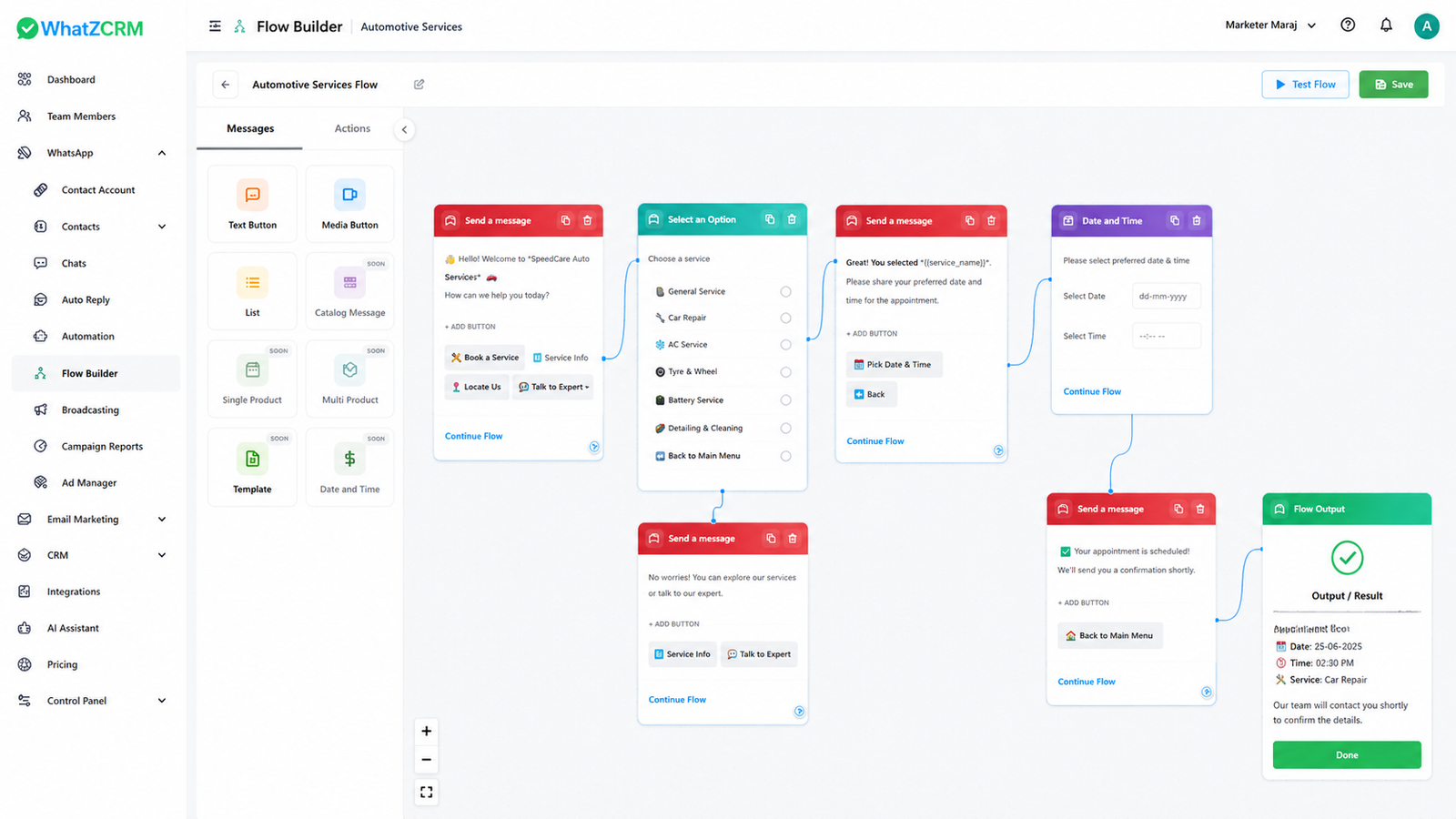
- No-code drag-and-drop builder: launch a fully functional chatbot in under 60 minutes, no developer required
- Native CRM connection: every chatbot interaction directly updates your lead pipeline, contact tags, and deal stage
- Drip automation: set multi-step follow-up sequences that trigger based on chatbot responses or CRM events
- Shared team inbox: the chatbot and your human agents work from the same conversation thread, with full context
- 50+ language support: serve customers in their preferred language automatically
- Real-time analytics: track drop-off, conversion, and engagement for every chatbot flow
- WhatsApp Business API compliance: pre-approved templates and 24-hour session handling built in
Competitors like AiSensy and Wati offer broadcast and messaging tools. WhatZCRM offers those features plus deal management, proposal sharing, task automation, and a full CRM pipeline, making it the platform you do not outgrow.
Also Read: Top 10 WhatsApp CRM Tools Compared (2026)
Conclusion
AI chatbots and WhatsApp CRM are no longer separate tools; when combined, they form the backbone of a modern, always-on sales and support system.
The businesses winning on WhatsApp today are not the ones sending the most messages. They are the ones who convert conversations into qualified leads, automatically update pipelines, and follow up without lifting a finger.
That is exactly what WhatZCRM is built to do.
With a no-code chatbot builder, native CRM integration, drip automation, and a shared team inbox all inside one platform, WhatZCRM gives you everything you need to turn every WhatsApp conversation into a business outcome.