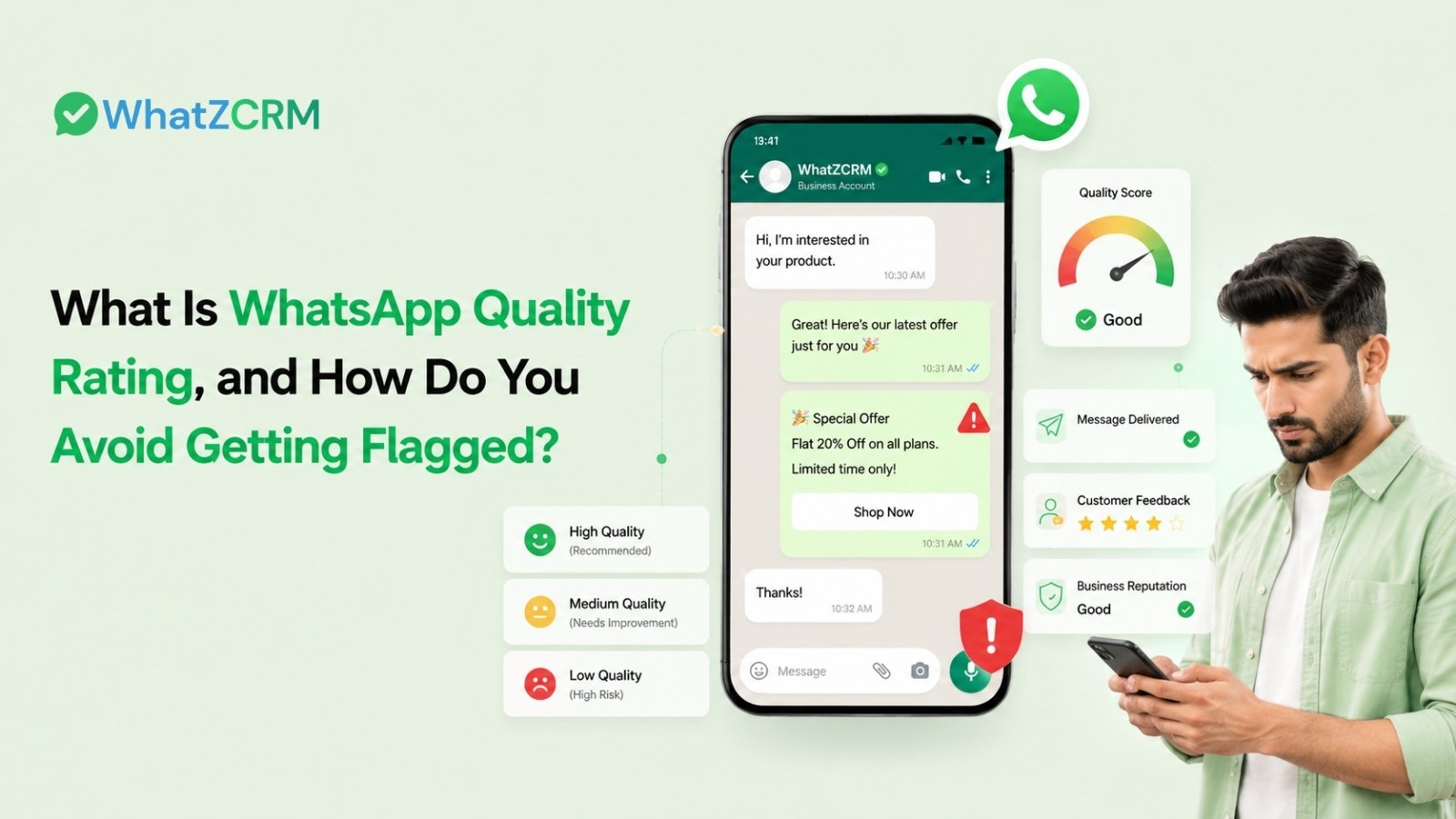

If your business uses WhatsApp Business API for broadcasts, notifications, marketing campaigns, or automated customer communication, WhatsApp Quality Rating is one of the most important account-health signals to monitor.
A poor rating can affect messaging limits, campaign performance, and your ability to scale WhatsApp communication. The biggest causes are usually negative customer feedback, including blocks and reports, irrelevant messages, poor targeting, and excessive messaging.
What Do We Know About WhatsApp Quality Rating?
WhatsApp Quality Rating measures how recipients respond to messages sent from a business phone number. WhatsApp uses customer feedback signals such as blocks, reports, and other negative interactions to assess message quality.
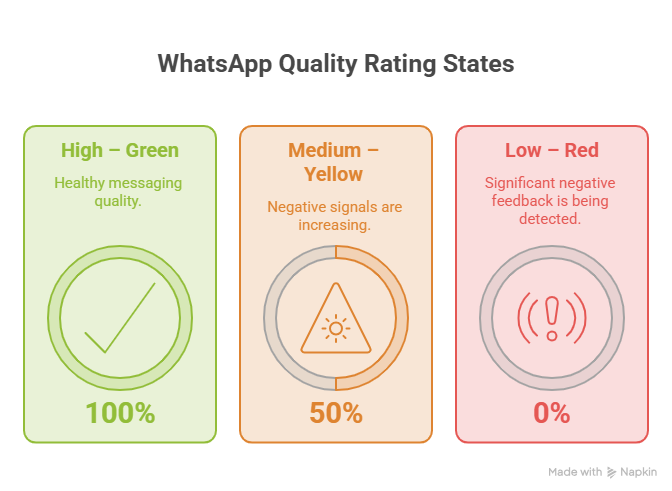
Current WhatsApp platform documentation describes three primary quality states:
- High – Green: Healthy messaging quality
- Medium – Yellow: Negative signals are increasing
- Low – Red: Significant negative feedback is being detected
When quality deteriorates significantly, a phone number can enter a flagged or restricted state, depending on the account’s circumstances and platform rules. Current documentation from WhatsApp providers also indicates that sustained low quality can affect messaging limits.
In simple terms:
Good customer experience → better quality → healthier messaging capacity.
Spam-like behavior → blocks/reports → lower quality → potential restrictions.
How WhatsApp Quality Rating Is Different From Messaging Limits
Quality Rating and WhatsApp messaging limits are related, but they are not the same thing.
Quality Rating measures the health of your messaging based on recipient feedback.
Messaging limits determine how many unique customers your business can initiate conversations with during a rolling period.
A healthy quality rating can support scaling messaging limits, while poor quality can prevent scaling or contribute to restrictions.
Also Read: How Many Messages Can I Send Per Day on WhatsApp Business API?
How Does WhatsApp Quality Rating Work?
WhatsApp evaluates signals generated by recipients when they receive messages from your business.
Important signals include:
- Users blocking your business
- Users reporting your messages
- Reasons given when users block your business
- Negative reactions to campaigns
- Poorly targeted or irrelevant communication
- Excessive messaging frequency
For example, imagine an education company sends a promotional message to 20,000 contacts who never requested updates. If a significant number of recipients block or report the business, the phone number’s quality can deteriorate.
This is why simply having a large contact database does not guarantee successful WhatsApp marketing.
The quality of your audience matters more than the size of your database.
Also Read: How to Choose the Best WhatsApp Marketing Software for Business Growth
6 Reasons for a Low WhatsApp Quality Rating
1. Sending Messages Without Proper Opt-In
One of the biggest risks is messaging people who have not agreed to receive communications from your business.
Purchased databases, scraped phone numbers, old customer lists, or contacts collected without clear WhatsApp consent can generate negative feedback.
Only send proactive messages to customers who have a legitimate reason to receive them and have provided appropriate consent.
2. Sending Too Many WhatsApp Messages
Even customers who opted in can become frustrated if they receive multiple promotional messages every day.
Over-messaging can increase:
- Blocks
- Reports
- Unsubscribes
- Low engagement
- Negative customer sentiment
Current guidance recommends being thoughtful about messaging frequency and avoiding unnecessary broadcasts.
3. Irrelevant WhatsApp Templates
A customer who opted in for order updates may not want daily promotional offers. Your message should match the reason the customer agreed to receive communication.
For example:
Better:
“Your order #5821 has been shipped. Track your delivery here.”
Riskier:
“🔥 BUY NOW! 50% OFF! Limited offer! Click immediately!”
The second message may feel unrelated or overly promotional, particularly if the recipient did not expect marketing communication.
4. Poorly Targeted Broadcast Campaigns
Sending the same message to every customer is another common mistake.
Instead, segment customers based on:
- Purchase history
- Location
- Product interest
- Lead stage
- Engagement
- Customer type
- Previous conversations
This is where a WhatsApp CRM can become valuable because businesses can combine segmentation, campaign automation, templates, and analytics rather than sending uncontrolled bulk messages.
Also Read: Types of WhatsApp Message Templates: Explained in Detail
What Does a Flagged WhatsApp Number Mean?
A flagged status indicates that the phone number has experienced serious quality problems and requires attention.
Current provider documentation states that if a number remains in a low/flagged quality state for a sustained period, messaging limits may be reduced to the next lower tier. Yellow.ai’s current documentation, for example, states that a number flagged for more than seven consecutive days can have its messaging limit reduced.
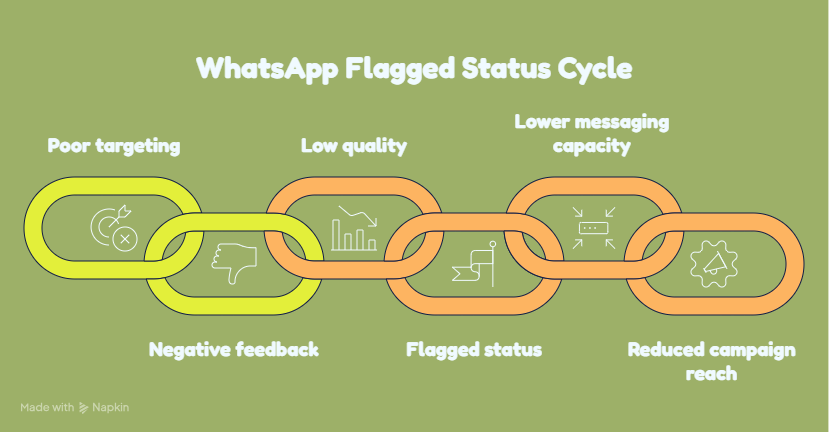
This creates a potentially damaging cycle:
Poor targeting → negative feedback → low quality → flagged status → lower messaging capacity → reduced campaign reach.
Therefore, businesses should not wait until a number becomes restricted before reviewing campaign performance.
How to Avoid Getting Flagged on WhatsApp
1. Collect Clear Customer Opt-Ins
Make your WhatsApp opt-in process transparent. You can collect consent through:
- Website forms
- Landing pages
- SMS
- In-person registration
- WhatsApp conversations
- Checkout forms
- Other appropriate customer touchpoints
Also explain what type of messages customers will receive.
Also Read: WhatsApp Opt-In Rules: What Counts as Legal Consent in 2026
2. Segment Your WhatsApp Audience
Don’t broadcast every campaign to your entire database. Create segments such as:
New Leads → Follow-up messages
Existing Customers → Product updates
Inactive Customers → Re-engagement campaigns
High-Intent Leads → Sales follow-ups
Relevant communication generally creates a better customer experience than indiscriminate bulk messaging.
3. Personalize Your Templates
Use customer information where appropriate, such as:
- Name
- Product
- Order
- Appointment
- Location
- Lead stage
Personalization should be meaningful rather than simply inserting a customer’s name into a generic advertisement.
4. Control Campaign Frequency
Create a communication calendar before launching broadcasts.
Ask:
- Did this customer recently receive a message?
- Is this message genuinely useful?
- Is the campaign relevant to this segment?
- Can the message wait?
- Is there a clear reason for contacting the customer?
A smaller, relevant campaign is often safer than a large campaign that generates blocks and reports.
5. Monitor Quality and Campaign Analytics
Don’t evaluate campaigns only by delivery numbers.
Track:
- Delivery rate
- Read rate
- Replies
- Clicks
- Conversions
- Blocks
- Reports
- Template performance
WhatZCRM’s analytics capabilities include campaign performance and WhatsApp template performance metrics, allowing businesses to identify which campaigns and templates are performing well.
6. Act Quickly When Quality Drops
If quality moves from High to Medium, don’t ignore it.
Review your most recent campaigns and identify:
- Which template was used?
- Which audience received it?
- How frequently were they contacted?
- Did blocks or reports increase?
- Was the message relevant?
- Did the campaign generate meaningful engagement?
Stopping a problematic campaign early can help prevent a small quality issue from becoming a larger account-health problem.
Also Read: How to Send Bulk WhatsApp Messages Without Getting Banned in 2026
How to Check WhatsApp Quality Rating
Businesses using the WhatsApp Business Platform can monitor their phone number’s quality information through WhatsApp Manager.
Current provider documentation describes checking the quality rating under the account’s phone-number management area.
For businesses using a WhatsApp CRM, monitoring should ideally happen alongside campaign analytics rather than as a separate manual task.
WhatsApp Quality Rating Best Practices: Quick Checklist
Before sending a WhatsApp campaign, ask:
- Is the customer opted in?
- Is the message relevant to this audience?
- Is the template approved and appropriate?
- Have we contacted this customer recently?
- Is the content useful or expected?
- Is the audience properly segmented?
- Can we measure blocks and negative feedback?
- Do we have a plan if quality drops?
If the answer to several of these questions is “no,” reconsider the campaign before sending it.
How WhatZCRM Helps Protect WhatsApp Campaign Quality
WhatZCRM is designed around WhatsApp Business communication, combining CRM capabilities with automation, segmentation, campaign management, and analytics.
Instead of treating WhatsApp as a simple bulk messaging channel, businesses can use a more structured approach:
Segment → Personalize → Automate → Monitor → Optimize
WhatZCRM provides campaign analytics and template-performance tracking, helping teams understand delivery, engagement, replies, clicks, and conversion-related performance.
This supports a more controlled WhatsApp marketing strategy where businesses can identify underperforming campaigns before repeatedly sending the same type of message to a large audience.
Final Thoughts
Understanding what is WhatsApp Quality Rating is essential for any business using WhatsApp Business API at scale.
The goal isn’t simply to send more messages. The goal is to send the right message, to the right customer, at the right time.
Maintain clear opt-ins, segment your audience, personalize templates, control campaign frequency, monitor negative feedback, and act quickly when quality begins to decline.
For businesses managing large WhatsApp campaigns, combining these practices with CRM automation and analytics can make WhatsApp communication more controlled, measurable, and sustainable.