
WhatsApp is now the primary communication channel for sales, support, and operations. As message volume grows, team collaboration becomes difficult when multiple agents handle conversations without structure.
Missed messages, duplicate replies, unclear ownership, and untracked follow-ups are common challenges. These problems occur because WhatsApp was not designed for team-based workflows.
A multi-agent WhatsApp inbox, supported by user management and task tracking, solves these collaboration issues by bringing structure, accountability, and visibility into WhatsApp communication.
Why Team Collaboration Breaks Down on WhatsApp
As businesses grow, WhatsApp communication becomes harder to manage collaboratively. Teams often rely on shared devices, message forwarding, or informal coordination methods.
This leads to several operational issues. No one knows who is responsible for a conversation. Multiple agents may respond to the same customer. Important follow-ups are missed. Managers have no visibility into response quality or workload distribution.
Without structure, WhatsApp becomes a bottleneck rather than a growth channel.
Why the WhatsApp Business App Is Not Designed for Teams
The WhatsApp Business App works well for individuals or very small teams, but it is not built for collaborative workflows.
It does not support proper role management, conversation ownership, or internal coordination. There is no way to assign chats, track agent availability, or monitor performance. Teams are forced to share logins or devices, creating security and accountability risks.
For growing businesses, these limitations directly impact efficiency and customer experience.
What Is a Multi-Agent WhatsApp Inbox?
A multi-agent WhatsApp inbox is a centralized system that lets multiple team members access, assign, and manage WhatsApp conversations from a single number, with clear ownership, internal collaboration, and performance tracking.
Instead of relying on personal devices or shared logins, teams work from a centralized inbox designed for professional collaboration.
What Businesses Actually Need for Team-Based WhatsApp Communication
To collaborate effectively on WhatsApp, businesses need more than message access.
They need a centralized inbox where all conversations are visible. They need role-based users such as admins and agents. They need to know who is available, who is responsible, and what follow-ups are pending. Most importantly, they need accountability and visibility across teams.
This is where a CRM-powered WhatsApp solution becomes essential.
How a Multi-Agent WhatsApp Inbox Solves Collaboration Challenges
A multi-agent WhatsApp inbox introduces structure into everyday communication.
All messages arrive in a single shared inbox rather than being scattered across devices. Conversations are assigned to specific agents, ensuring clear ownership. Internal collaboration happens through notes and tasks without exposing anything to customers. Managers can see what is happening in real time.
This removes confusion and improves response quality.
Also Read: How to Send Bulk WhatsApp Messages Securely
How WhatZCRM Enables Multi-Agent WhatsApp Collaboration
WhatZCRM is an AI-powered WhatsApp CRM that helps businesses manage customer conversations, automate customer support, and convert WhatsApp chats into qualified sales leads.
Its multi-agent inbox is supported by User Management and Task Management, making collaboration structured, trackable, and scalable.
User Management: Clear Roles and Agent Visibility
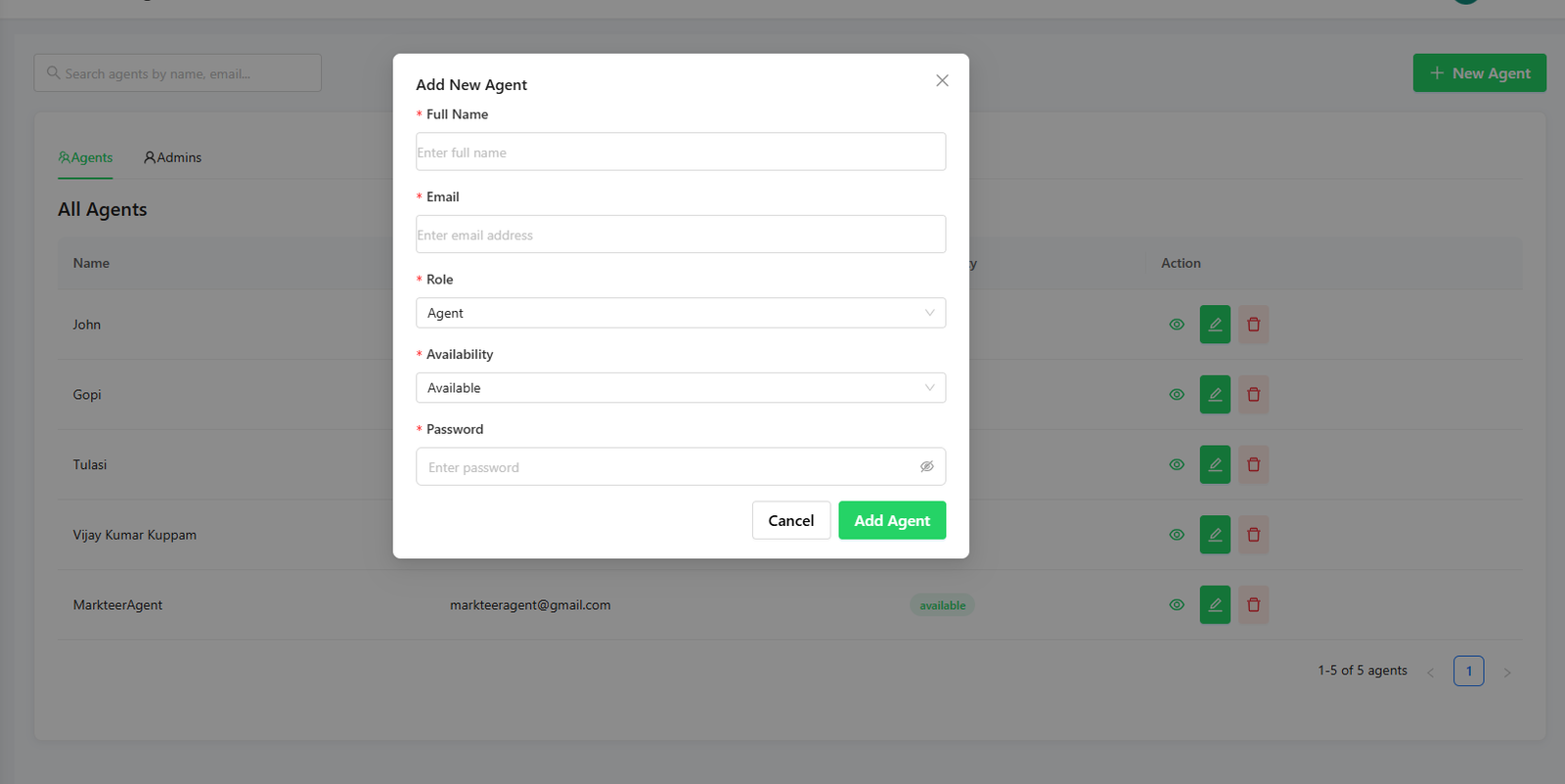
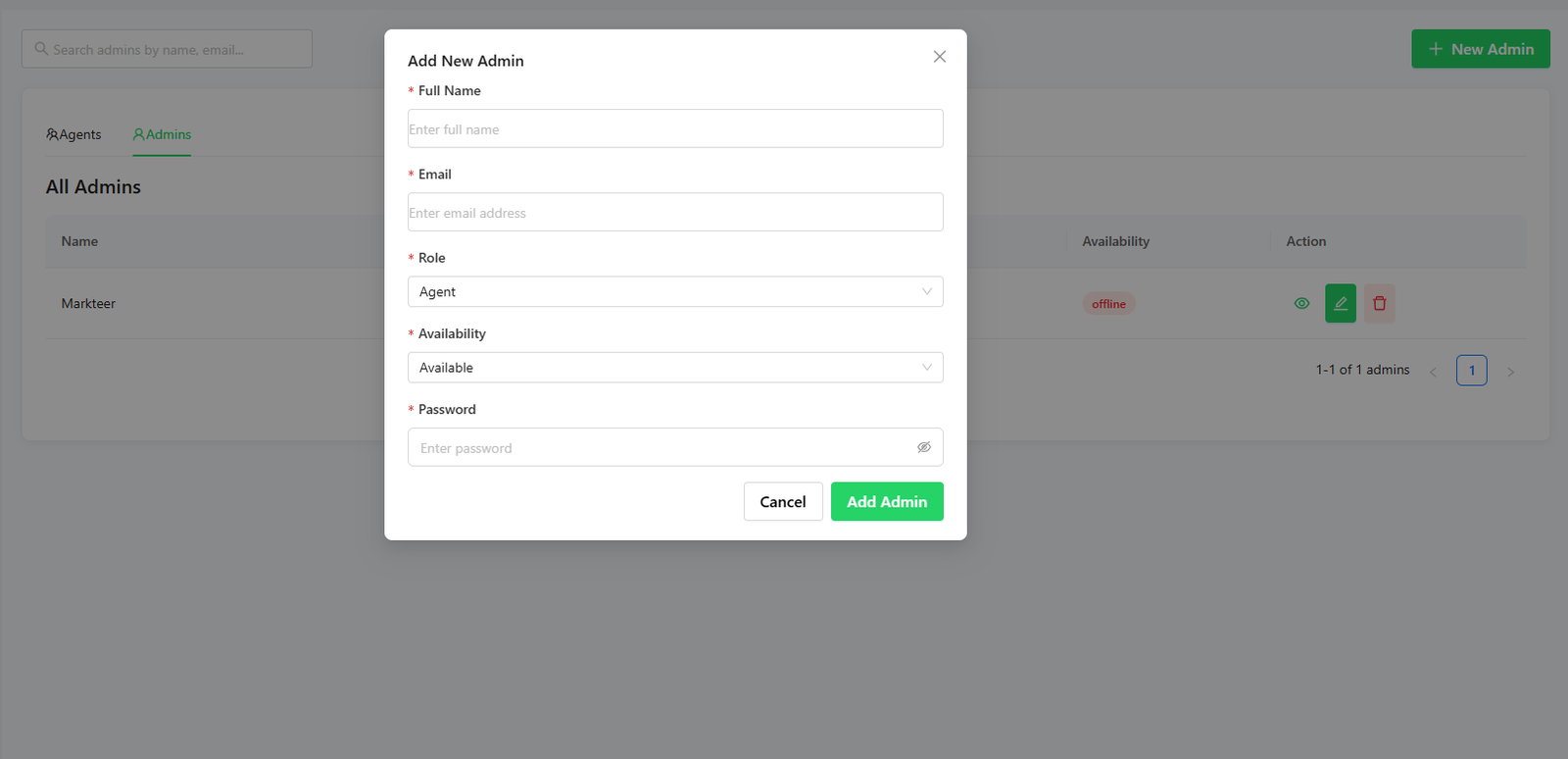
Through the User Management dashboard, businesses can add multiple admins and agents with defined roles.
Admins control access and permissions. Agents handle assigned conversations. Availability status shows whether an agent is online or offline, helping teams route conversations efficiently.
This eliminates the risks of shared logins and creates accountability across the team.
Task Management: Structuring Follow-Ups and Internal Work
One of the biggest collaboration gaps on WhatsApp is the lack of follow-up tracking. WhatZCRM solves this using its Tasks Management dashboard.
Tasks can be created directly from conversations and assigned to specific agents. Each task includes priority, due date, and status, such as pending, in progress, completed, or overdue. Managers can track progress visually and ensure nothing is missed.
WhatsApp conversations are no longer just chats; they become actionable workflows.
Step-by-Step Workflow: Multi-Agent Inbox in WhatZCRM
A typical collaboration workflow looks like this:
- A customer sends a WhatsApp message
- The message appears in the centralized inbox
- An admin or automation assigns the chat to an available agent
- The agent responds and creates follow-up tasks if required
- Tasks move through defined stages until completion
- Managers track response time, progress, and resolution
This workflow replaces informal coordination with a structured system.
Who Should Use a Multi-Agent WhatsApp Inbox?
A multi-agent WhatsApp inbox is ideal for sales teams handling high enquiry volumes, customer support teams managing ongoing conversations, agencies coordinating multiple clients, and growing businesses scaling operations.
Any business that relies heavily on WhatsApp benefits from structured collaboration.
Also Read: What Is a WhatsApp CRM, and Why Businesses Need It
Why AI-Powered WhatsApp CRM Matters for Team Collaboration
AI-powered WhatsApp CRM platforms add intelligence to collaboration. They enable smart assignment, faster responses, workflow automation, and performance tracking.
WhatZCRM combines AI, CRM, and WhatsApp into a single platform designed for team-based communication.
Final Thoughts
As WhatsApp becomes central to business communication, collaboration cannot rely on informal processes. Teams need clarity, ownership, and visibility to scale effectively.
A multi-agent WhatsApp inbox, supported by user and task management, transforms WhatsApp into a professional collaboration platform.
Explore how WhatZCRM helps teams collaborate better, respond faster, and manage WhatsApp conversations with complete control.